Introduction
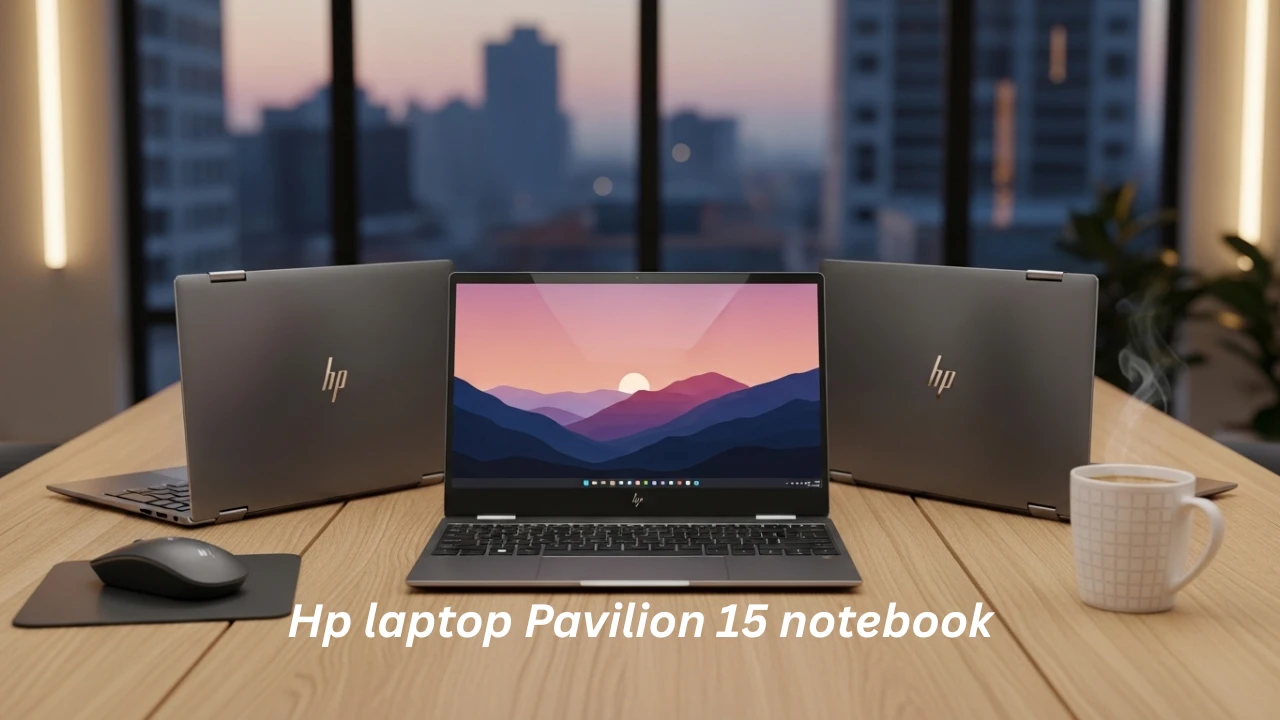
The HP Pavilion 15 Notebook series is one of the most widely adopted mid-range laptop families globally, especially among students, office professionals, freelancers, and budget-conscious buyers. Its popularity comes from a simple promise:
However, from an information architecture and user-intent perspective, this product line creates high semantic ambiguity. In NLP terms, the phrase “HP Pavilion 15” is a polysemous product identifier—it refers to multiple hardware configurations under a single naming convention.
Most users search:
- “Is the HP Pavilion 15 good?”
- “HP Pavilion 15 specs.”
- “HP Pavilion 15 gaming performance.e”
This guide eliminates confusion by utilizing structured classification, semantic grouping, and real-world performance modeling.
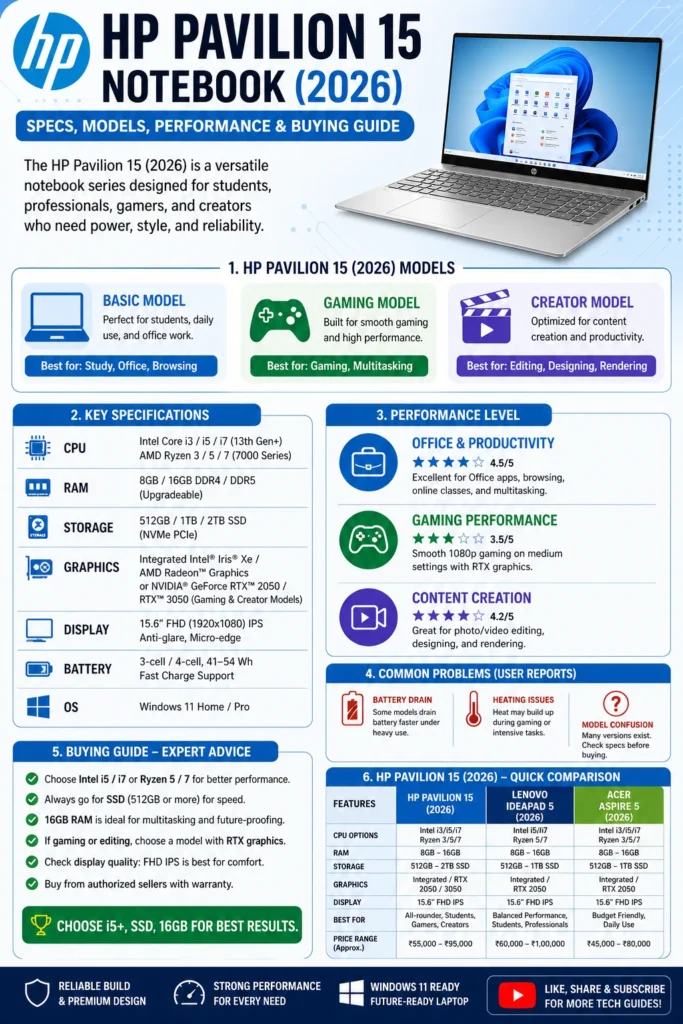
HP Pavilion 15 Models Explained
Understanding model segmentation is crucial for making informed purchase decisions. In NLP terms, this is intent disambiguation based on hardware configuration clustering.
HP Pavilion 15 Basic Model (Student & Office Segment)
This entry-level configuration is optimized for low computational workload environments.
Typical Technical Configuration:
- Intel Core i3 / i5 OR AMD Ryzen 3 / Ryzen 5
- Integrated GPU (Intel UHD / AMD Vega architecture)
- 8GB DDR4 RAM (sometimes expandable to 16GB)
- 256GB–512GB NVMe SSD storage
- 15.6-inch Full HD display (entry panel quality)
Optimized Use Cases:
- Academic learning environments
- Document processing (MS Word, Excel, PowerPoint)
- Web browsing and cloud applications
- Video conferencing tools (Zoom, Google Meet, Teams)
Technical Limitations:
From a performance modeling perspective:
- GPU bottleneck under graphical workload
- Limited parallel processing capacity
- Not suitable for GPU-intensive tasks
Verdict: Suitable for light productivity and educational workloads only.
HP Pavilion Gaming 15 (Performance-Centric Variant)
This variant is designed with a dedicated GPU architecture, significantly increasing computational throughput.
Typical Configuration:
- Intel Core i5 / i7 OR AMD Ryzen 5 / Ryzen 7
- NVIDIA GTX / RTX dedicated graphics
- 8GB–16GB RAM (dual-channel preferred)
- Advanced thermal dissipation system
- High refresh rate display (in selected models)
Ideal Applications:
- AAA gaming workloads
- Video rendering (Adobe Premiere Pro, DaVinci Resolve)
- 3D Modeling (Blender, AutoCAD entry-level)
- Heavy multitasking environments
Performance Trade-offs:
- Increased thermal output
- Higher fan noise under load
- Reduced battery endurance during gaming sessions
Verdict: Best performance-to-price ratio in Pavilion ecosystem.
HP Pavilion 15 Creator / Hybrid Performance Model
This is a balanced computational architecture, positioned between the office and gaming segments.
Hardware Profile:
- Intel Core i7 OR AMD Ryzen 7 processors
- Mid-range discrete GPU OR optimized integrated GPU
- 16GB or higher RAM (recommended dual-channel)
- High-speed NVMe SSD storage
Ideal For:
- Software development environments
- Content creation workflows
- Light-to-medium video editing
- Business intelligence and data analysis
Analytical Insight:
This model targets multi-domain users requiring hybrid computational capability.
Verdict: Best balance for professionals and creators.
KEY MARKET INSIGHT
A significant portion of negative reviews in user-generated content platforms originates from:
Common Misinterpretations:
- Expecting gaming performance from integrated GPU models
- Assuming all Pavilion 15 laptops have identical specs
- Underestimating RAM impact on system responsiveness
- Ignoring CPU generation differences
In NLP terms, this is a user expectation alignment failure problem.
HP Pavilion 15 General Specifications
| Component | Specification Range |
| CPU | Intel i3 / i5 / i7 OR AMD Ryzen 3 / 5 / 7 |
| RAM | 8GB – 16GB (expandable in select models) |
| Storage | 256GB – 1TB NVMe SSD |
| Display | 15.6” FHD IPS (varies by SKU tier) |
| GPU | Integrated / GTX / RTX |
| OS | Windows 11 |
| Battery | 41Wh – 52Wh lithium-ion |
| Weight | 1.6 kg – 2.2 kg |
Real-World Performance Analysis
Instead of synthetic benchmarks, this section evaluates real-world workload performance behavior.
Office Productivity Performance
The HP Pavilion 15 performs efficiently in productivity pipelines:
- Multi-tab browsing (Chrome/Edge)
- Document processing workflows
- Cloud-based SaaS tools
- Communication platforms
Outcome: Smooth and stable performance under normal workloads.
Multimedia Consumption Experience
From a UX perspective:
- Full HD video streaming is stable
- Color accuracy depends on panel grade
- Audio output is adequate for casual usage
Outcome: Reliable for entertainment consumption.
Gaming Performance (REALISTIC ANALYSIS)
Integrated Graphics Variants:
- Valorant → playable at low-medium settings
- GTA V → low settings with stable FPS
- Modern AAA titles → not recommended
Dedicated GPU Variants:
- GTA V → smooth performance
- Fortnite → high settings viable
- Cyberpunk 2077 → medium settings (thermal dependent)
Outcome: Gaming capability is configuration-dependent, not universal.
Programming & Development Workloads
- Efficient for VS Code, Python, and JavaScript environments
- Moderate performance in Android Studio projects
- Limited scalability for virtual machines
Outcome: Suitable for mid-level development workflows.
COMMON PROBLEMS IN HP PAVILION 15 SERIES
Root Cause:
- Medium-capacity battery architecture
- High CPU/GPU power draw in performance mode
Observed Behavior:
- Faster drain under multitasking
- Reduced longevity after 1–2 years
Thermal Throttling & Heat Management
- CPU temperature rises under sustained load
- Fan acoustics increase significantly
- Performance reduction may occur during extended gaming sessions
Display Quality Variance
- Entry models → lower brightness and color gamut
- Premium models → IPS panels with better color reproduction
Variability is SKU-dependent.
Product Naming Confusion
From an information retrieval perspective:
- Same model name, multiple hardware variants
- Users cannot distinguish specifications easily
- Leads to incorrect purchase decisions
HP Pavilion 15 vs Competitors (2026 Benchmarking)
| Feature | HP Pavilion 15 | Lenovo IdeaPad 5 | Acer Aspire 5 |
| Performance | Good | Optimized | Average |
| Battery Life | Moderate | Strong | Moderate |
| Build Quality | Standard | Premium feel | Mixed |
| Gaming Capability | Variant-based | Limited | Limited |
| Value Proposition | Balanced | High efficiency | Budget-friendly |
Analytical Insight:
- Lenovo = optimization-focused architecture
- HP = configuration diversity
- Acer = cost-minimization strategy
WHO SHOULD BUY THE HP PAVILION 15?
Recommended For:
- Students (academic computing)
- Office professionals
- Entry-level creators
- Casual gamers (gaming variants only)
Not Recommended For:
- Hardcore gaming users
- Professional video editors
- High-end 3D engineers
- Premium display seekers
HP PAVILION 15 BUYING DECISION FRAMEWORK
| User Type | Recommended Specs |
| Student | i5 + 8GB RAM + SSD |
| Office User | i3/i5 + SSD |
| Gamer | RTX/GTX model |
| Creator | i7 + 16GB RAM |
PROS & CONS
Advantages:
- Competitive pricing structure
- Wide configuration range
- SSD-based responsiveness
- Upgrade flexibility
- Strong availability in the market
Disadvantages:
- High configuration confusion
- Average battery endurance
- Thermal constraints under load
- Display inconsistency
- Non-premium chassis materials
FAQs
A: It is one of the most suitable mid-range laptops for academic and online learning environments.
Only gaming variants equipped with GTX or RTX GPUs can handle modern gaming workloads effectively.
A: under intensive workloads such as gaming, rendering, or long CPU stress operations.
A: Lenovo IdeaPad 5 offers better efficiency and optimization, while HP Pavilion 15 provides more configuration flexibility.
A: Typically 3 to 5 years, depending on usage intensity, maintenance, and configuration tier.
Conclusion
The HP Pavilion 15 Notebook (2026 edition) remains a strong contender in the mid-range laptop segment due to its balance of affordability, configurational diversity, and acceptable performance.
However, its biggest weakness is not hardware—it is consumer confusion caused by multiple hidden variants under a single brand label.
If chosen correctly, it is a reliable productivity and entertainment machine.
If chosen incorrectly, it becomes a disappointing investment.











