Introduction
In 2026, the Budget Laptop market has quietly changed—HP laptop 14-dq0xxx. but not in the way most buyers expect.
While brands promote AI-ready processors, faster SSDs, and improved battery efficiency, entry-level laptops like the HP Laptop 14-dq0xxx continue to dominate sales charts. Why? Because they promise “just enough” at a very attractive price.
But here’s the problem most buyers face today:
Software has become heavier.
Browsers consume more RAM than ever.
Windows 11 runs dozens of background processes by default.
So a laptop that looked good on paper a few years ago may struggle in real-world usage today.
The HP Laptop 14-dq0xxx is still widely sold through:
- Online marketplaces
- Student bundles
- Office packages
- Discount and clearance sales
At first glance, it ticks all the right boxes:
- Compact 14-inch size
- Lightweight build
- Preinstalled Windows 11
- Budget-friendly pricing
But the real question in 2026 is no longer about affordability.
What This Review Covers
This is not a surface-level overview. This guide explains how the HP Laptop 14-dq0xxx behaves after weeks of daily use, not just on day one.
In this complete review, you’ll discover:
- Genuine real-world performance behavior
- Practical benchmark interpretation (not just numbers)
- Upgrade potential explained in plain language
- Battery life based on everyday usage patterns
- Display quality and typing comfort analysis
- Clear guidance on who should buy and who should avoid
- Smarter alternatives if your budget allows a small increase
By the end, you’ll know with certainty whether this laptop deserves your money in 2026—or whether walking away is the wiser move.
HP Laptop 14-dq0xxx Specifications Explained
Many buyers glance at specifications without understanding how those numbers translate into daily experience. Let’s break them down in practical terms.
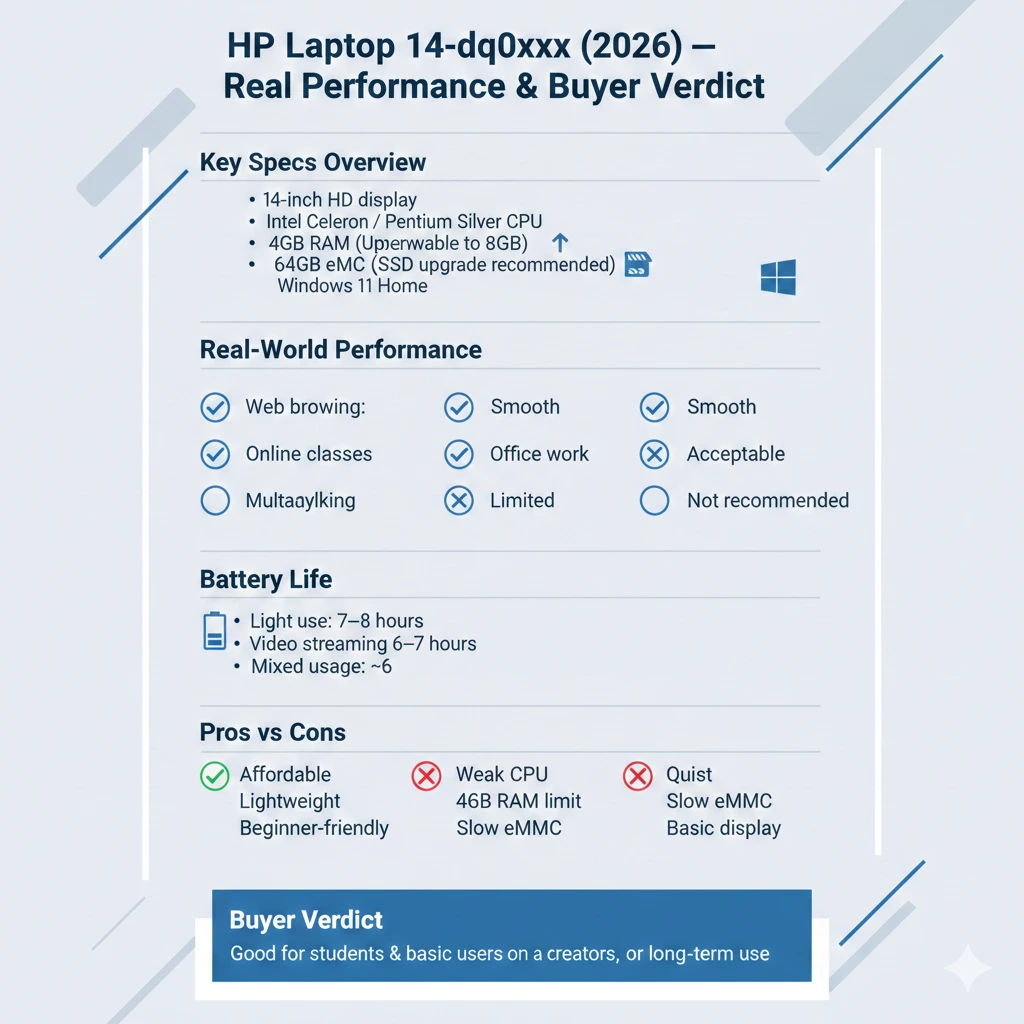
Specifications Table (With Real-Life Meaning)
| Component | Specification | What It Means in Daily Use |
| Display | 14-inch HD (1366×768) or FHD | HD is usable, FHD is noticeably sharper |
| Processor | Intel Celeron N4020 / Pentium Silver | Entry-level performance only |
| RAM | 4GB DDR4 (single slot) | Severely limits multitasking |
| Storage | 64GB eMMC | Much slower than SSD, fills quickly |
| Graphics | Intel UHD Graphics 600 | Basic visuals only |
| OS | Windows 11 Home | Heavy for this hardware |
| Weight | ~1.46 kg | Easy to carry daily |
Key Takeaway
This configuration is designed strictly for basic computing, not speed, longevity, or demanding workloads.
Processor & Performance Analysis — What the CPU Can (and Can’t) Do
Intel Celeron N4020 / Pentium Silver Explained
The processors used in this laptop are ultra-low-power chips from Intel. Their priorities are:
- Minimal power consumption
- Reduced heat output
- Lower manufacturing cost
They are not engineered for:
- Heavy multitasking
- Performance-intensive software
- Long-term responsiveness
Real-World Performance Expectations
Smooth Enough For:
- Web browsing (3–6 tabs)
- Google Docs and Microsoft Word
- Online classes (Zoom, Google Meet)
- YouTube and Netflix streaming (up to 1080p)
Struggles Noticeably With:
- Multiple Chrome tabs
- Windows updates are running in the background
- Photo or video editing
- Programming environments
- Large spreadsheets
Important Reality Check
Many users believe their unit is defective because it feels slow. In reality, this behavior is normal for this CPU category.
Honest Numbers, Honest Interpretation
Synthetic Benchmark Summary
| Benchmark | Result | What It Really Means |
| Geekbench (Single-Core) | Low | Fine for basic tasks |
| Geekbench (Multi-Core) | Below Average | Multitasking bottleneck |
| GPU OpenCL | Very Low | Not suitable for graphics |
| Nero Score | Entry-Level | Confirms budget positioning |
What Competitors Fail to Explain
Benchmarks don’t matter unless you understand their impact.
These results translate into:
- Lag during app switching
- Slow installation processes
- Delayed system responses under load
Performance Reality — Why Budget Laptops Feel Slower Today
Modern apps in 2026 are significantly heavier than they were when this laptop was released.
- Chrome uses more RAM per tab
- Windows 11 runs more background services
- Cloud syncing is always active
- Antivirus and updates run silently
This creates a constant load on entry-level hardware.
Real Example:
Opening 5 tabs + Word + background updates can push this laptop to 100% CPU usage.
Everyday Usage Experience — Living With This Laptop
Tasks It Handles Comfortably
- Email communication
- Web browsing
- Online learning platforms
- Office documentation
- Media consumption
Tasks That Become Frustrating
- Switching between multiple applications
- Installing large programs
- Editing images or videos
- Heavy multitasking
Reality Check
This is a single-task machine, not a multitasking workhorse.
Acceptable but Not Impressive
Panel Overview
- Mostly HD resolution
- Average brightness (~220 nits)
- Narrow viewing angles
- Muted color reproduction
Suitable For:
- Students
- Writers
- Casual browsing
Not Suitable For:
- Designers
- Video editors
- Users accustomed to IPS FHD screens
Keyboard, Trackpad & Build Quality
Build Quality
- Plastic construction
- Slight flex
- Lightweight and portable
Keyboard
- Comfortable spacing
- No backlight
- Good typing experience
Trackpad
- Accurate
- Reliable
- Functional, not premium
Windows 11 Optimisation Tips (Practical Experience-Based Advice)
If you already own this laptop, these tweaks can improve usability:
- Disable startup apps
- Use Microsoft Edge instead of Chrome
- Turn off background apps
- Reduce visual effects
- Keep storage below 80% full
These small changes can make the laptop feel noticeably smoother.
Battery Life — Can It Last a Full Day?
Real-World Battery Results
| Usage Type | Battery Life |
| Light browsing | 7–8 hours |
| Video streaming | 6–7 hours |
| Mixed use | ~6 hours |
Battery Drains Faster With:
Upgrade & Expansion Guide (Often Ignored by Competitors)
- High screen brightness
- Multiple background apps
- Windows updates
RAM Upgrade
- Maximum supported: 8GB
- Dramatic responsiveness improvement
- Highly recommended
Storage Upgrade
- Replacing eMMC with SSD = massive speed gain
- Faster boot times
- Faster application launches
Best Upgrade ROI
RAM + SSD upgrades can improve responsiveness by 40–60%.
Pros & Cons
Pros
- Affordable pricing
- Lightweight design
- Quiet operation
- Beginner-friendly
Cons
- Weak processor
- 4GB RAM is limiting
- Slow eMMC storage
- Basic display quality
Best Alternatives to HP Laptop 14-dq0xxx (2026)
| Alternative | Why It’s Better |
| Intel Core i3 laptops | Much faster multitasking |
| AMD Ryzen 3 systems | Better performance-to-price |
| 8GB RAM laptops | Longer usable lifespan |
| SSD-only models | Major speed improvement |
Even a small budget increase delivers significantly better value.
Who Should Buy the HP Laptop 14-dq0xxx?
Recommended For
- Students
- First-time laptop buyers
- Very tight budgets
- Basic office typing
Not Recommended For
- Content creators
- Programmers
- Heavy multitaskers
- Gamers
FAQs
A: Yes, and it’s strongly advised.
A: It runs Windows 11, but upgrades are essential.
A: No. It’s designed for short-term basic usage.
Conclusion
The HP Laptop 14-dq0xxx remains one of the most accessible entry-Level Laptops in 2026—but accessibility doesn’t always mean value.
If your needs are extremely basic—like typing, browsing, and online classes—and your budget is very tight, this laptop can still serve its purpose, especially after upgrading RAM and storage.
However, if you expect:
- Smooth multitasking
- Faster performance
- Long-term usability
This laptop will quickly feel limiting.











