Introduction
The laptop power adapter serves as a basic accessory, yet the wrong charger selection can cause hidden Damage, reducing charging efficiency and leading to motherboard destruction. The 45W HP laptop charger is the most popular power adapter among HP laptop users worldwide, yet people still fail to understand its basic functions.
The wrong belief systems of people lead to three problems, which result in charging failures, excessive overheating, battery damage, and financial losses. This expert guide provides complete information about HP 45W laptop chargers through detailed technical specifications and safety information,n and compatibility details.
What This Guide Covers
In this pillar article of over 3500 words, you will discover:
- What an HP laptop charger 45W truly is
- Exact voltage, amperage, and connector specifications
- How HP’s Smart Blue Tip works and why it’s important
- Which HP laptops are compatible
- 45W vs 65W chargers – a detailed, side-by-side comparison
- Original vs third-party charger safety considerations
- Frequent charging problems and practical solutions
- Expert buying tips to prevent damage
- Frequently asked questions from real users
This guide is ideal for:
- Students using lightweight laptops
- Office employees and remote professionals
- Travelers who need portable chargers
- First-time HP laptop buyers
- Anyone who wants to protect their device and battery
At LaptopDream.com, our focus is clarity, safety, and reliability — and this guide is no exception.
What Is an HP Laptop Charger 45W?
A 45W HP laptop charger is a power adapter specifically engineered to deliver 45 watts of electrical energy safely to compatible HP laptops.
Primary Function
While its operation seems simple, it performs a critical role:
- Converts high-voltage AC power from a wall socket into low-voltage DC power suitable for laptops.
Without the correct charger, your device may experience:
- Slow or inefficient charging
- Reduced battery lifespan
- Power warnings on-screen
- Overheating of internal components
Standard Electrical Output of a 45W HP Charger
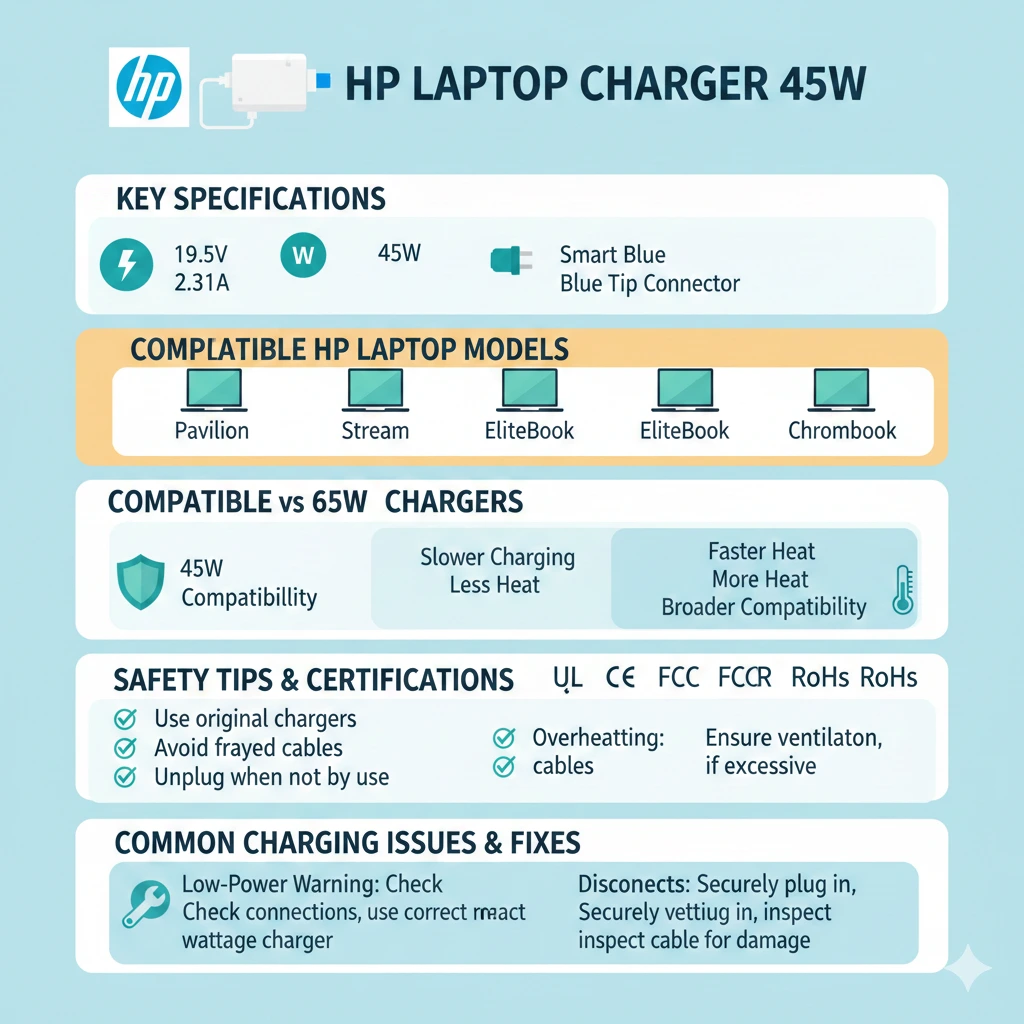
| Feature | Standard Specification |
| Output Voltage | 19.5V DC |
| Output Current | 2.31A |
| Total Power | 45W (19.5V × 2.31A) |
| Connector Type | Smart Blue Tip (4.5mm × 3.0mm) |
| Input Voltage | 100–240V AC (Worldwide) |
| Frequency | 50–60Hz |
| Safety Certifications | UL, CE, FCC, RoHS |
| Cable Length | 1.8–2.0 meters |
| Weight | ~200–280 grams |
Why This Matters
- Portability and lightweight design
- Efficient power delivery
- Minimal heat generation
- Prolonged battery longevity
Who Should Use a 45W HP Charger?
A 45W adapter is best suited for:
- Ultrabooks and slim notebooks
- HP Chromebooks
- Entry-level HP laptops
- Business laptops with integrated graphics
- Laptops using low-power Intel or AMD processors
It is not recommended for:
- Gaming laptops
- Mobile workstations
- Laptops with dedicated graphics cards
Why HP 45W Chargers Are More Important Than You Think
Many people think a laptop charger is “just a cable.” The reality is that it has a direct impact on:
- Laptop performance
- Battery health
- Device safety
If the Wattage Is Too Low
Using an underpowered adapter can cause:
- Very slow charging
- Battery drain even when plugged in
- Unexpected charging stops under high load
- BIOS warning: “Low-power adapter detected.”
This can force your laptop to draw extra current, increasing heat and risking component damage.
If the Wattage Is Higher Than Needed
Using a 65W charger on a 45W laptop is generally safe if the voltage matches, because:
- Laptops only draw the power they require
- HP devices have internal power regulation
However:
- Cheap or fake chargers may overheat
- Uncertified adapters can provide unstable voltage
HP’s Engineering Reasoning
HP uses 45W adapters to ensure:
- Balanced power delivery
- Reduced heat emission
- Compact, travel-friendly design
- High energy efficiency
- Minimal battery stress
HP Laptop Charger 45W – Detailed Technical Specifications
| Feature | Specification |
| Output Voltage | 19.5V DC |
| Output Current | 2.31A |
| Total Power | 45W |
| Connector Type | Smart Blue Tip (4.5mm × 3.0mm) |
| Input Voltage | 100–240V AC |
| Frequency | 50–60Hz |
| Safety Certifications | UL, CE, FCC, RoHS |
| Cable Length | 1.8–2.0 meters |
| Weight | 200–280 grams |
Understanding HP’s Smart Blue Tip Connector
The Smart Blue Tip is more than a plug — it contains a center pin that facilitates two-way communication between charger and laptop.
Functions of the Center Pin
- Verifies charger authenticity
- Confirms the correct wattage
- Enables safe power negotiation
- Prevents incompatible adapters from supplying power
What Happens if the Center Pin Is Damaged?
- The laptop may refuse to charge
- Reduced charging speed
- Warning: “Unknown power adapter.”
- The battery may drain while plugged in
This is one of the most common HP charging issues worldwide.
Compatible HP Laptop Models for 45W Chargers
Compatibility depends on model and configuration, not just the brand.
HP Series Typically Supporting 45W Chargers
- HP Pavilion (selected models)
- HP Stream
- HP ProBook (entry-level configurations)
- HP EliteBook (low-power CPUs)
- HP Chromebook series
HP Laptops Requiring Higher Wattage
- Gaming laptops
- Mobile workstations
- Laptops with dedicated GPUs
- High-performance H-series CPU models
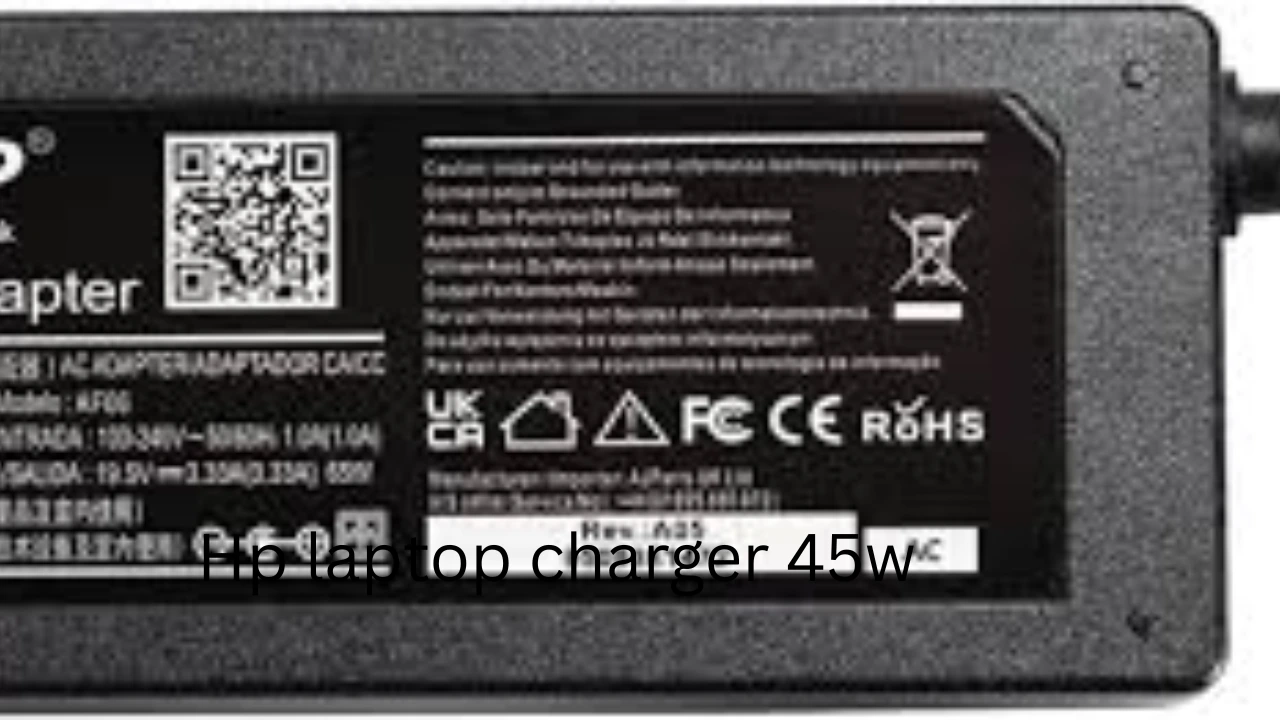
Tip: Always check the original charger label or the underside of your laptop for exact requirements.
How to Check If Your HP Laptop Needs a 45W Charger
Check the Original Charger
- Look for output: 19.5V ⎓ 2.31A
- Power: 45W
Check the Laptop Bottom Label
- Manufacturers often print the required voltage and minimum wattage
BIOS or HP Support Assistant
- Some HP laptops display charger requirements and adapter recognition
HP 45W vs 65W Charger – Expert Comparison
| Feature | 45W Charger | 65W Charger |
| Power Output | 45W | 65W |
| Weight | Lighter | Heavier |
| Charging Speed | Moderate | Faster |
| Heat Output | Lower | Higher |
| Compatibility | Ultrabooks | Performance laptops |
| Safe on 45W Laptop | Yes | Yes (voltage match) |
| Price | Lower | Higher |
Expert Verdict:
- Using a 65W charger on a 45W laptop is safe
- Using a 45W charger on a 65W laptop is not recommended
Original vs Third-Party HP Laptop Charger 45W
Original (OEM) HP Chargers
Pros:
- Guaranteed compatibility
- Accurate wattage detection
- High safety standards
- Long lifespan
Cons:
- Higher price
Third-Party Chargers
Pros:
- Affordable
- Easily available
Cons:
- Quality varies
- Risk of overheating
- Often lack proper smart pin communication
Buying Tip: If purchasing third-party:
- Ensure exact voltage match: 19.5V
- Check UL / CE / FCC certifications
- Verify user reviews
Essential Safety Certifications
A genuine HP laptop charger 45W must include:
- UL – Electrical safety
- CE – Compliance for European standards
- FCC – Electromagnetic safety
- RoHS – Environmentally safe
Avoid uncertified chargers — they pose fire hazards.
Pros & Cons of HP Laptop Charger 45W
Pros:
- Lightweight and travel-friendly
- Energy-efficient
- Perfect for daily productivity
- Low heat output
Cons:
- Not suitable for gaming laptops
- Slower charging under heavy load
- Limited flexibility for upgrades
Myths vs Facts About HP 45W Chargers
- Myth: Higher wattage always damages laptops
- Fact: Laptops regulate power intake
- Myth: USB-C 45W is the same as barrel-type
- Fact: Power delivery protocols differ
- Myth: All blue-tip chargers are identical
- Fact: Center pin design varies
FAQs
A: Not recommended. Performance may throttle.
A: No. Power negotiation protocols differ.
A: Yes. Incorrect chargers can increase heat and degrade the battery.
Final Expert Conclusion
The HP laptop charger 45W is an ideal power solution for lightweight, productivity-focused HP laptops — when chosen correctly.
Understanding voltage, amperage, connector type, and safety certifications is far more important than price.
At LaptopDream.com, our mission is clear:
- Educate beginners
- Empower buyers
- Build lifelong trust
Pick the right adapter, and your 45W charger will safely power your HP laptop for years.