Introduction
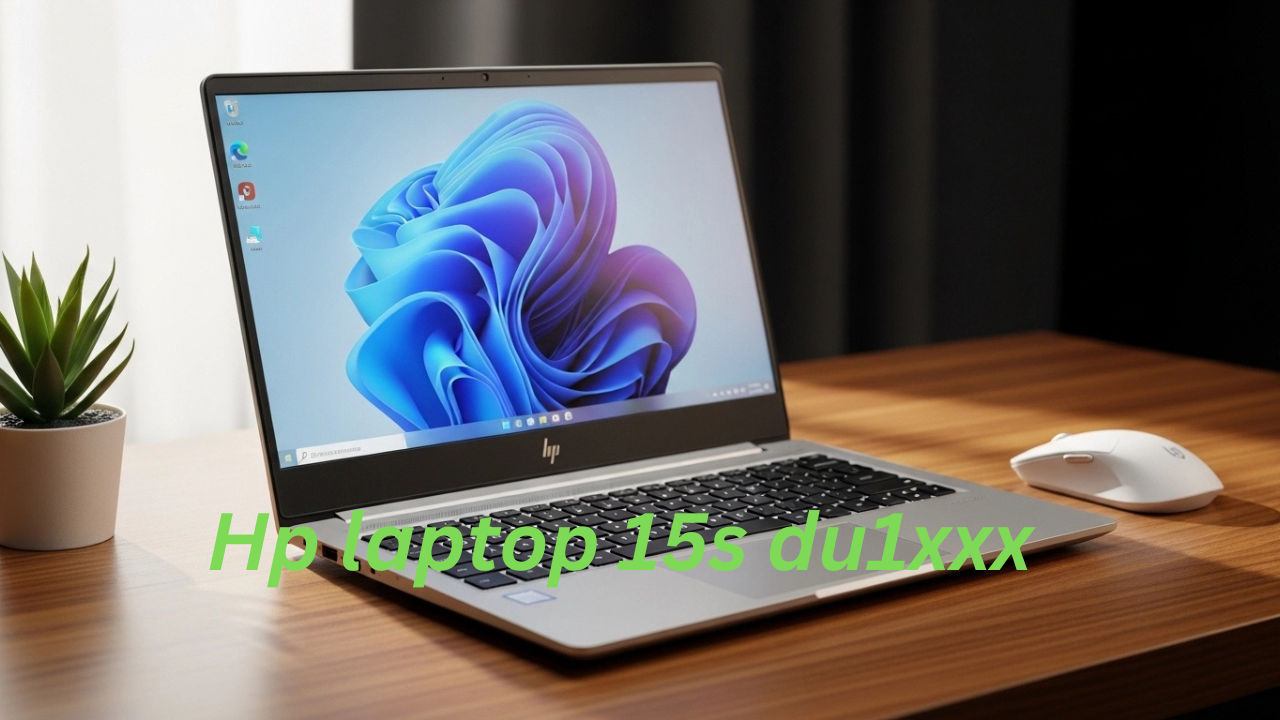
Most folks know the HP Laptop 15s du1xxx as a go-to pick when needing something affordable that still gets work done. Since it launched, more and more people – like students, office staff, those working on their own, telecommuters, plus others at home – have turned to it for handling everyday computing stuff without hassle.
One thing stands out about budget laptops people want – low cost without sacrificing daily function. What makes the HP 15s du1xxx different is how it holds up over time, not just at purchase. Instead of cutting corners, it manages steady speed for regular tasks year after year. Its staying power into 2026 comes down to smart trade-offs, nothing flashy – just reliability where it counts
Running multiple apps at once works smoothly thanks to these chips. Tasks like browsing, editing, or streaming happen without lag. Each core helps manage workloads separately. Heavy software runs better with improved speed. Background processes stay responsive during intense jobs. Multitasking feels natural over long periods. Complex operations complete faster than before
- Internet browsing
- Office applications
- Online classes
- Software development
- Multimedia consumption
- Light creative work
What helps make this laptop line popular is its 15.6-inch screen, giving enough room to handle everyday work without strain. Yet another reason people lean toward it? A well-spaced keyboard that includes a number pad – handy when typing numbers fast, drafting documents, or managing rows in spreadsheets.
Explanation
Built light but tough, this laptop slips effortlessly into bags for trips from dorm rooms to lecture halls, then on to shared desks downtown. Its frame handles daily commutes without buckling under pressure or adding bulk to your load.
For example:
- Is the HP Laptop 15s du1xxx good in 2026?
- Can you upgrade RAM and SSD?
Fits gaming pretty well, though it works okay for coding too.
- Facing off against the Lenovo IdeaPad, how does it stack up? What about when placed beside Dell Inspiron models?
This detailed LaptopDream walkthrough dives into the HP Laptop 15s du1xxx, covering all key details – so you see what it truly offers
- Detailed hardware specifications
- Real-world performance evaluation
- Differences between model variants
- RAM and storage upgrade possibilities
- Battery endurance and power efficiency
- Cooling system and thermal behavior
- Gaming performance results
- User experience insights
- Comparison with competing laptops
- Buying recommendations
This guide wraps up with a clear picture of whether the HP Laptop 15s du1xxx fits what you actually need. Instead of guesswork, you’ll know how it lines up with your daily tasks. After reading through, clarity replaces doubt about its match for your routine. The last part leaves no question about Suitability. Once finished, deciding feels less like chance and more like choice.
HP Laptop 15s du1xxx Specifications
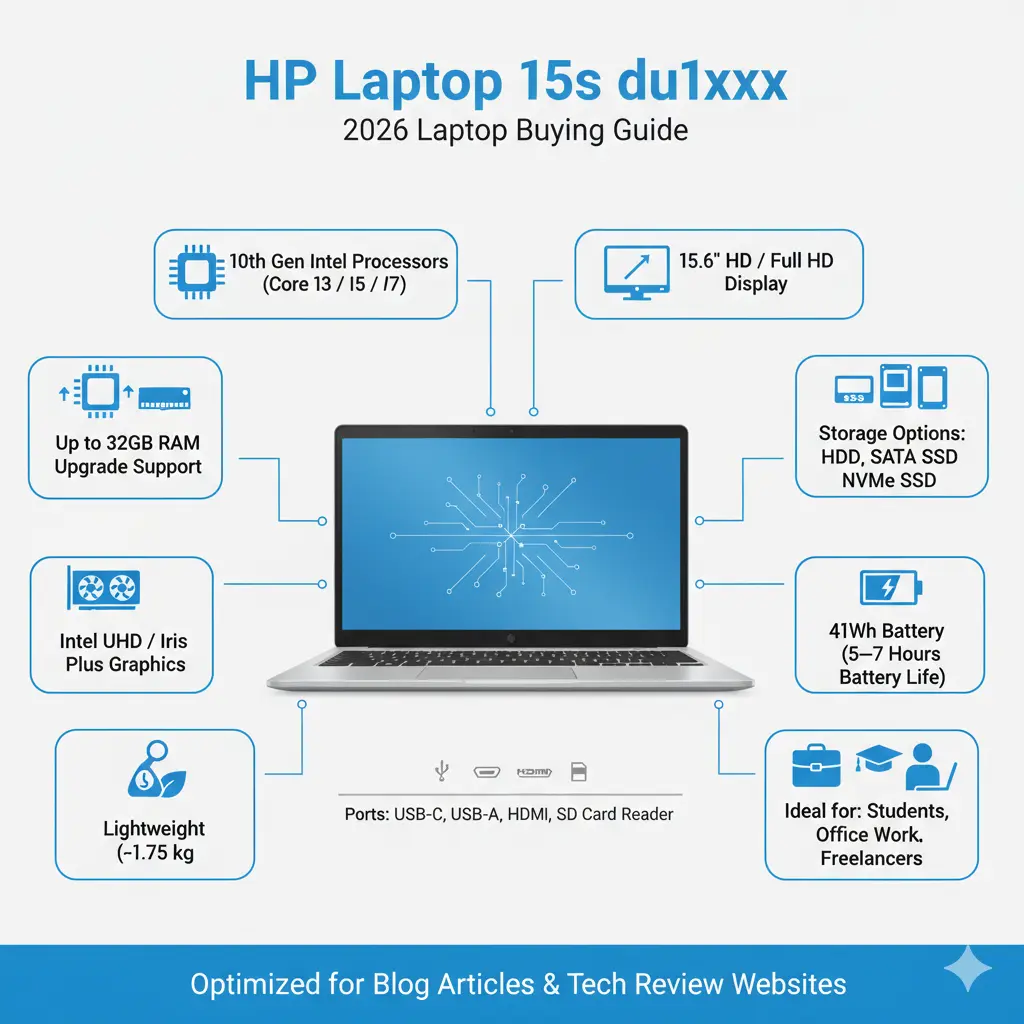
Before discussing performance metrics and practical usability, it is essential to understand the core hardware specifications of the HP 15s du1xxx laptop family.
| Feature | Specification |
| Display | 15.6-inch HD (1366×768) or Full HD (1920×1080) |
| Processor | Intel Core i3 / i5 / i7 (10th Generation) |
| Graphics | Intel UHD Graphics / Intel Iris Plus |
| RAM | 4GB / 8GB (Upgradeable up to 32GB) |
| Storage | HDD / SATA SSD / NVMe SSD |
| Battery | 3-Cell 41Wh Lithium-ion |
| Weight | Around 1.7 – 1.75 kg |
| Ports | USB-C, USB-A, HDMI, SD Card Reader |
| Wireless | Wi-Fi 5 and Bluetooth |
| Operating System | Windows 10 / Windows 11 |
With these specs, the machine handles everyday work stuff without slowing down. Emails fly through smoothly because it keeps up with constant messaging. For classes held on screens, it runs video tools reliably. Working from home feels natural since connections stay steady.
HP 15s du1xxx Model Variants Explained
Folksoftenthink“du1xxx” means one exact laptop. It doesn’t. That label covers several different machines, not just a single version. Confusion pops up because the code looks precise. Really, it’s more like a group name. Each device under it can differ in small ways. Specs might shift slightly between units. So seeing du1xxx shouldn’t suggest uniformity. Think of it as a batch tag instead.
A different version sits within this lineup – each built on the same look, yet shaped by distinct internal parts. What ties them together isn’t identical guts, but a shared frame and purpose. One may run faster, another store more, but they speak the same visual language. Variations arise not from appearance, but from under-the-skin choices. These models branch like paths from one idea. Not twins, just close relatives wearing familiar faces.
Folks get mixed up sometimes since those laptops look just alike on the outside, yet behave unlike one another once you fire them up. What’s inside shapes how they run.
Common HP 15s du1xxx Models
| Model | Processor | RAM | Storage | Best For |
| HP 15s-du1065TU | Core i3-1005G1 | 4GB | 1TB HDD | Basic tasks |
| HP 15s-du2010TU | Core i5-10210U | 8GB | 512GB SSD | Multitasking |
| HP 15s-du3032TU | Core i7-10510U | 8GB | SSD | Heavy productivity |
Key Differences Between Models
The primary differences between these laptop versions include:
- The speed of the processor, along with what version it is
- Memory capacity
- Storage configuration
- Display resolution
- Preinstalled operating system
Faster boots, quicker app launches – SSDs leave old spinning drives behind whenever a laptop wakes up or pulls data. While older hard drives clunk through startup routines, solid-state versions race ahead without hesitation each time Windows loads.
Design and Build Quality
A sleek look defines the HP Laptop 15s du1xxx, fitting quietly into classrooms or offices. Its clean lines stay noticeable without shouting. Modern touches appear in subtle curves rather than bold shapes. This machine avoids flash, choosing calm presence instead. Simplicity guides every edge and surface finish.
Even on a tight budget, this laptop looks sharp, its design staying simple but tidy. A quiet elegance comes through without trying too hard.
Design Highlights
Easy touches make life simpler here. A few smart choices help things work better every day. Thoughtful details fit smoothly into how you live. Little changes add up to big improvements without fuss
- Slim profile
- Narrow display bezels
- Elegant silver matte finish
- Full-size keyboard
- Dedicated numeric keypad
- Large touchpad area
A bit heavier than sleek ultraportables, yet light enough at 1.7 kilograms to carry around daily without hassle.
Built to slide into backpacks without hassle, this fits right in when heading from home to work or class. Whether you’re a student rushing between lectures or someone headed to the office, it travels well tucked inside your bag. Moving around town? It stays out of the way yet always within reach during commutes. Compact by design, it doesn’t weigh down your daily load whether near campus or across town.
Build Quality
Finding ways to keep costs down, HP opts for polycarbonate plastic rather than metal in its build. The choice shifts away from heavier frames toward lighter synthetic ones. Instead of aluminum, a durable polymer takes shape inside the design. Built with cost in mind, the structure relies on molded plastic over machined parts. This approach swaps premium feel for budget-friendly production methods.
- Compared with aluminum laptops:
- The firmness of the construction gives off a hint of lower quality
- Firm through years of wear, yet steady in performance
Fine enough for everyday stuff – think schoolwork, sitting at a desk, scrolling online – the build holds up without fuss. Though not flashy, it manages what most need on a regular day.
Display Quality and Viewing Experience
The HP 15s du1xxx display is available in two different configurations.
| Display Type | Resolution | Quality |
| HD | 1366 × 768 | Basic |
| Full HD | 1920 × 1080 | Recommended |
HD Display
Advantages:
- Lower laptop price
- Slightly improved battery efficiency
Limitations:
- Less sharp visuals
- Reduced clarity for text
- Narrow viewing angles
- Limited workspace for multitasking
Full HD Display
A clearer picture comes through with the Full HD model. While standard versions lag, this one sharpens every scene.
Benefits include:
- Sharper images
- Higher text clarity
- More screen workspace
- Better movie-watching experience
- Improved productivity
A sharp screen helps learners, coders, and workers the most. A full high-definition panel makes that possible.
Processor Performance
Faster tasks come down to what chip it runs on. The speed inside shapes how well this HP 15s model handles work.
Fed by different processing units, the laptop comes in three-core CPU versions.
Intel Core i3 (Entry-Level Model)
Example processor:
Intel Core i3-1005G1
Best For
- Web browsing
- Online classes
- Office applications
- Email communication
- Video streaming
Limitations
- Slower multitasking
- Reduced performance under heavy workloads
- Noticeable lag when paired with HDD storage
Fine for everyday tasks, the Core i3 fits those who just browse and type. Instead of heavy power, it handles simple work without lag. For someone not into gaming or big software, this chip keeps things moving. Light duties like emails or videos run smoothly on this setup.
Intel Core i5 (Mid-Range Model)
Example processor:
Intel Core i5-10210U
CPU Features
- 4 processing cores
- 8 threads
- Turbo Boost up to 4.2 GHz
Real-World Performance
This configuration performs very well for:
- Office productivity
- Programming
- Data analysis
- Multiple browser tabs
- Light photo editing
Most people find the Core i5 gives solid power without costing too much. What stands out is how well it balances speed and value compared to pricier models.
Intel Core i7 (High-End Model)
Example processor:
Intel Core i7-10510U
Performance Capabilities
This Configuration is capable of handling:
- Heavy multitasking
- Software development
- Photo editing
- Light video editing
- Productivity software
Still, using built-in graphics means this machine handles everyday tasks well enough. Creative pros might find it falls short when pushing heavy software.
RAM Upgrade Guide
One of the most valuable advantages of the HP Laptop 15s du1xxx is its memory upgrade capability.
Many modern budget laptops use soldered RAM, which cannot be upgraded. Fortunately, HP allows memory upgrades in this series.
Default RAM Options
- 4GB
- 8GB
Maximum Supported RAM
Up to 32GB
Recommended RAM Configurations
| Usage Type | Recommended RAM |
| Basic browsing | 8GB |
| Office multitasking | 16GB |
| Programming | 16GB |
| Heavy workloads | 32GB |
Upgrading from 4GB to 16GB dramatically improves system responsiveness and multitasking performance.
Storage Upgrade Guide
Another major advantage of this laptop series is flexible storage expansion.
Supported Storage Types
- HDD
- SATA SSD
- NVMe SSD
HDD vs SSD Performance
| Storage | Boot Time | App Speed |
| HDD | 40–60 sec | Slow |
| SATA SSD | 15–20 sec | Fast |
| NVMe SSD | 8–12 sec | Extremely fast |
Installing an NVMe SSD can make the laptop feel three to five times faster.
Keyboard and Touchpad
Typing feels smooth on the HP 15s du1xxx because its keys are spaced just right. What helps even more is how each key gives a little when pressed. Instead of tiring your fingers, it keeps things light through long sessions. Built for daily work, the layout avoids clutter without sacrificing reach. Even after hours, your hands stay relaxed thanks to gentle curves under fingertips. Not too loud, not too soft – each tap lands with quiet precision.
Keyboard Features
- Full-size layout
- Dedicated numeric keypad
- Comfortable key travel
- Proper spacing between keys
- Quiet typing feedback
Anyone who types a lot – like students, writers, or people at desks – should feel fine using it over time. It just settles into the hands without hassle after hours of going.
Touchpad Performance
The touchpad supports Windows Precision gestures, including:
- Two-finger scrolling
- Pinch-to-zoom
- Multi-finger navigation
Fine control shows up right away – cursor glides without delay. Movement lands exactly where intended, no guessing. Precision comes through each shift, steady and clear.
Battery Life Performance
The laptop includes a 3-cell 41Wh lithium-ion battery.
Typical Battery Life
| Usage | Battery Life |
| Web browsing | 6 – 7 hours |
| Office work | 5 – 6 hours |
| Video streaming | ~5 hours |
| Heavy workloads | 3 – 4 hours |
Battery life depends on several factors:
- Screen brightness
- CPU workload
- Background processes
- Wireless connectivity
For the most part, howlongthebatterylastsfeelsfairona low-costmachinemeantfor work. Though priced cheaply, it doesn’t die halfway through basic tasks.
Cooling and Thermal Performance
Starting off, the HP Laptop 15s du1xxx relies on one fan to manage heat. A metal tube moves warmth away from critical parts. Instead of multiple fans, it pairs that air flow unit with a conductive rod. Heat shifts through the pipe toward the vent. Cooling happens when air passes over heated surfaces. This setup keeps temperatures steady during regular tasks. The design favors simplicity over complexity. Air gets pulled in, then pushed out slowly.
Thermal Behavior
Normal Tasks
- Quiet fan operation
- Low temperatures
Heavy Workloads
- Fan noise increases
- Moderate warmth near the keyboard area
Firm through long stretches of work, it holds steady even when pushed hard.
Gaming Performance
Built without a dedicated GPU, the HP Laptop 15s du1xxx struggles with demanding games. Though it handles basic tasks fine, playing modern titles pushes its limits. Performance dips become obvious when visuals get complex. So smooth gameplay isn’t really in the cards here. Heavy graphics loads expose what the system can’t do.
Still, a few well-known gaming titles work just fine when settings get tweaked slightly.
Gaming Performance Test
| Game | Settings | Performance |
| GTA V | Low | Playable |
| Minecraft | Medium | Smooth |
| CS:GO | Medium | 40–60 FPS |
| Valorant | Medium | Smooth |
| Fortnite | Low | Playable |
This means the laptop is suitable for casual gaming, but not for modern AAA gaming titles.
Real-World User Experience
Looking at what people say on tech sites, store pages, and chat threads, a few things stand out after a while. Not every detail matches, yet the overall picture shows consistent points when comparing feedback from different places.
Positive User Feedback
Users appreciate the laptop because of:
- Affordable pricing
- Upgrade flexibility
Reliable daily performance - Lightweight portability
Common Complaints
Some users report:
- Average display quality
- Battery drain after Windows updates
- Limited gaming performance
Software glitches cause most of these problems instead of broken parts.
HP Laptop 15s du1xxx vs Competitors
Many buyers compare the HP laptop with other budget options.
Laptop Comparison
| Feature | HP 15s du1xxx | Lenovo IdeaPad 3 | Dell Inspiron 15 |
| Processor | Intel 10th Gen | Intel / AMD | Intel |
| Display | HD / FHD | HD / FHD | FHD |
| RAM Upgrade | Up to 32GB | Up to 12GB | Up to 16GB |
| Storage | HDD / SSD | SSD | SSD |
| Weight | 1.75 kg | 1.65 kg | 1.8 kg |
Key Advantage
The HP laptop allows larger RAM upgrades, which improves long-term usability.
Pros and Cons
Pros
Cons
Affordable price
RAM upgrade up to 32GB
SSD upgrade support
Lightweight design
Reliable productivity performance
Not designed for high-end gaming
Some models include a basic HD display
Plastic build construction
Who Should Buy the HP Laptop 15s du1xxx?
Built to fit many ways people work. A match for varied needs without leaning on one kind of user.
Students
Perfect for:
- Online classes
- Research
- Assignments
- Note-taking
Office Workers
Great for:
- Excel spreadsheets
- Presentations
- Emails
- Virtual meetings
Freelancers
Useful for:
- Content writing
- Light programming
- Digital marketing tasks
Who Should Avoid This Laptop?
This laptop may not be suitable for:
- Professional video editors
- 3D designers
- Hardcore gamers
- AI developers
These users should consider gaming laptops or workstation-grade computers.
FAQ
A: Yes. It is a great budget laptop for students, offering reliable performance for study tasks and online learning.
A: Yes. Most models support Windows 11, especially those with 8GB RAM and SSD storage.
A: Yes. The laptop supports RAM upgrades up to 32GB, depending on configuration.
A: It is suitable only for light gaming, such as Valorant, CS: GO, and Minecraft.
A: Battery life typically ranges between 5 and 7 hours, depending on usage.
Final Verdict
Fifteen inches on screen, the HP 15s Du1xxx still holds up when it comes to basic daily work without draining your wallet. Though modest inside, it manages common jobs well – staying steady where others falter. Built tough enough for regular use, its value stands out quietly among cheaper models. Performance stays consistent, even if speed isn’t its highlight. For routine typing, browsing, or streaming, this machine keeps pace without fuss.
Built for today’s tasks, this system runs smoothly thanks to its 10th-gen Intel chips. Memory upgrades open the door to better performance over time. Storage tweaks? They’re doable too, since swapping in new SSDs works without hassle.











