
Introduction
A black spot on your Dell Laptop Screen isn’t just a minor visual annoyance—it’s often an A black spot on your Dell laptop screen is more than just a visual annoyance — it’s often an early warning sign of internal display damage that can worsen over time. What starts as a tiny dot can gradually expand into a distracting dark patch, affecting your productivity, visibility, and overall device experience.
In 2026, with thinner displays, higher resolutions, and more fragile panel designs, black spot issues have become slightly more common — especially due to pressure damage and heat stress in modern ultra-slim laptops.
Some spots remain small and stable, while others spread like ink, making it harder to read, design, or work comfortably. The key difference lies in accurate diagnosis, not guesswork.
This ultimate guide from LaptopDream.com is designed to help you:
- Identify the exact type of black spot
- Understand the real cause (not myths)
- Apply fixes that actually work
- Decide between repair vs replacement
- Prevent the issue from happening again
Whether you’re a student, professional, or power user, this guide will help you make a confident, informed decision — not an expensive mistake.
Professional Repair vs DIY: What Experts Recommend in 2026
Technicians in 2026 increasingly advise against DIY screen replacements unless you have experience. Modern Dell laptops often feature:
- Laminated displays
- Integrated touch layers
- Delicate flex cables
A small mistake can damage:
- Motherboard connectors
- Backlight circuits
Expert insight:
If your laptop is mid-range or high-end, professional repair is usually safer and more cost-effective long-term.
What You’ll Learn in This Guide
By the time you finish reading, you will clearly understand:
- Why do black spots form on Dell laptop screens
- How to identify the exact type of black spot
- Which fixes genuinely work — and which are myths
- When Dell warranty coverage applies (and when it doesn’t)
- Whether repairing or replacing the screen is financially logical
How to prevent black spots permanently in daily use
Let’s begin with the fundamentals.
What Is a Black Spot on a Laptop Screen?
A black spot on a laptop screen is a darkened region that remains visible regardless of what is displayed. Unlike software glitches or driver-related artifacts, this type of spot does not disappear when applications change.
It typically remains visible on:
- BIOS or UEFI screens
- Manufacturer boot logos
- Login or lock screens
Solid color test backgrounds
This persistence is the strongest indicator that the problem is hardware-based, not software-related.
Common Forms of Black Spots on Dell Laptop Screens
Black spots can appear in multiple shapes, sizes, and patterns, including:
- Tiny black dots (1–5 pixels wide)
- Cloud-like dark smudges
- Ink-spill or bleeding shadow patterns
- Faded or dim brightness zones
- Uneven dark corners or edge shadows
Each form points toward a different internal failure mechanism, which is why correct identification is critical before attempting any fix.
Black Spot vs Dead Pixel vs LCD Panel Damage
Understanding this distinction is the most important step before spending money or attempting repairs.
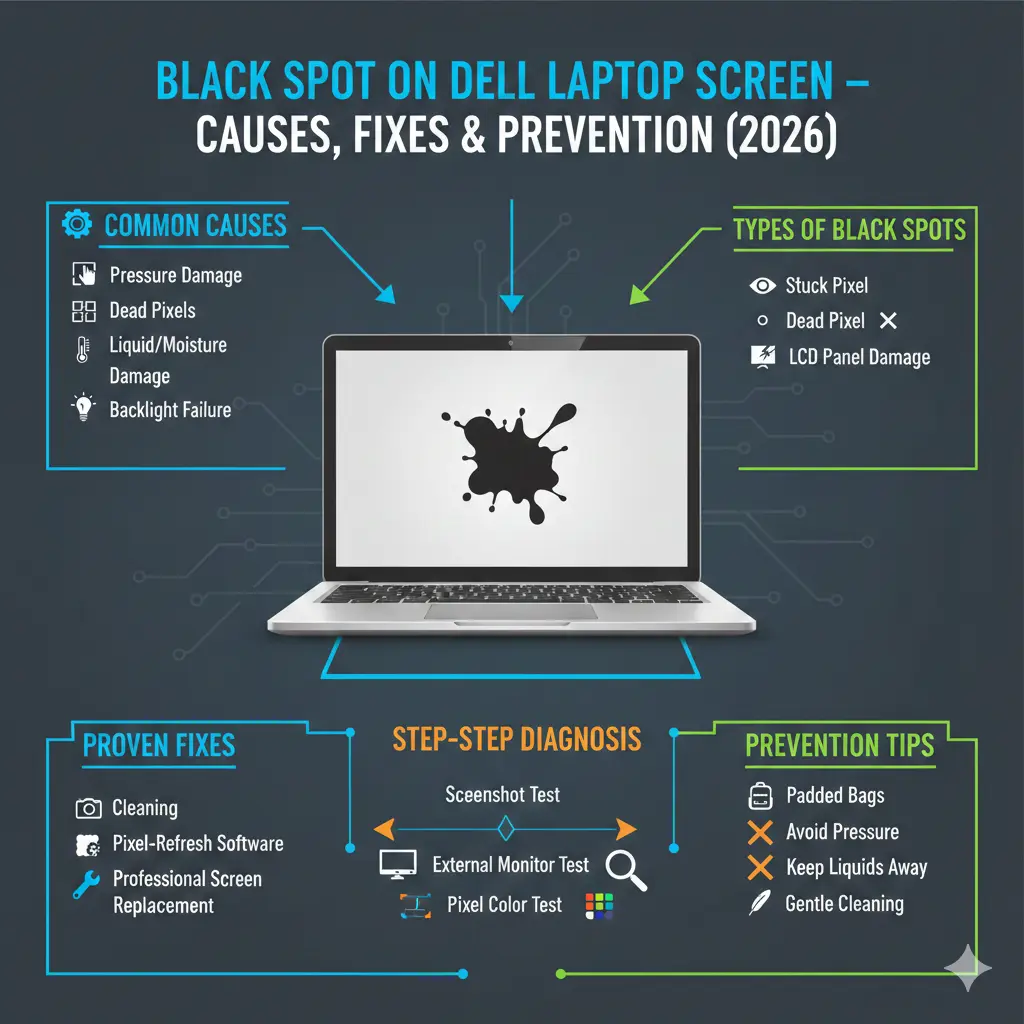
Stuck Pixel
A stuck pixel occurs when a pixel’s sub-pixels fail to refresh properly but are not physically damaged.
Characteristics:
- Appears black, red, green, blue, or white
- May change color during rapid refresh cycles
- Often visible only on certain backgrounds
Fixability:
Sometimes fixable with pixel-refresh software
Gentle stimulation may help
Not guaranteed
Dead Pixel
A dead pixel is caused by permanent transistor failure within the pixel structure.
Characteristics:
- Always black
- Does not respond to color changes
- Fixed position
Fixability:
Permanent hardware failure
Cannot be repaired by software
LCD Panel Damage (Most Serious)
This is physical damage to the LCD layers themselves, not just individual pixels.
Common causes:
- Pressure stress
- Impact or twisting
- Liquid infiltration
- Long-term heat exposure
Appearance:
- Irregular dark patches
- Growing shadowed regions
- Color distortion or uneven brightness
Quick Comparison Table
| Issue Type | Size | Spreads Over Time | Fixable | Severity |
| Stuck Pixel | Tiny | No | Sometimes | Low |
| Dead Pixel | Tiny | No | No | Medium |
| LCD Damage | Medium–Large | Yes | No | High |
How Laptop Screens Work (Why Black Spots Happen)
To truly understand black spots, you must understand how a laptop display functions internally.
A Dell laptop display consists of:
- Millions of individual pixels
- Thin-Film Transistors (TFTs)
- Liquid crystal molecules
- LED backlight layers
- Protective glass and polarization layers
Each pixel regulates how much backlight passes through the liquid crystals to create visible images.
What Goes Wrong Inside the Screen?
When pressure, heat, or moisture affects the panel:
- Liquid crystals lose proper alignment
- Light transmission becomes uneven
- Certain areas block light completely
This results in darkened zones, which is why pressure-induced black spots often expand slowly over time rather than appearing instantly
Common Causes of Black Spots on Dell Laptop Screens
Let’s break down real-world causes, not internet speculation.
Pressure or Impact Damage (Most Common Cause)
Pressure damage occurs when force is applied directly to the Display surface.
Real-Life Scenarios:
- Closing the lid with earbuds, pens, or cables inside
- Laptop tightly compressed in a backpack
- Lifting or carrying the laptop by the screen
- Loose hinges pressing unevenly on the panel
Once liquid crystal cells are crushed, the damage is irreversible.
Dead or Defective Pixels
Dead pixels can appear due to:
- Manufacturing imperfections
- Natural aging of display components
- Heat-induced transistor burnout
Dell allows a limited number of dead pixels, depending on panel classification.
Liquid or Moisture Exposure
Even microscopic moisture can:
- Penetrate LCD layers
- Leave mineral residue
- Create dark blotches
Humidity is an underrated but serious threat, especially in warm or coastal regions.
Backlight Failure Zones
When sections of the LED backlight fail:
- Local brightness drops
- The screen appears burned or shadowed
This is not a pixel issue — it’s a display module fault.
Panel Aging & Heat Stress
Long-term exposure to:
- High brightness levels
- Poor ventilation
- Continuous thermal load
can degrade LCD layers unevenly, leading to dark regions.
How to Diagnose the Type of Black Spot
Correct diagnosis saves time, money, and frustration.
Screenshot Test
- Take a screenshot
- View it on another device
Result:
- Spot visible → GPU or software issue
- Spot invisible → Screen hardware damage
External Monitor Test
Connect your Dell laptop to an external display.
| Result | Meaning |
| Spot appears on both | GPU or software issue |
| Spot only on the laptop | Screen hardware damage |
Pixel Color Test
Display solid colors: Red, Green, Blue, White, Black.
- Remains black → Dead pixel or LCD damage
- Changes color → Stuck pixel
Proven Fixes for Black Spots
Let’s separate effective solutions from myths.
Basic Cleaning (Surface Smudges Only)
Works only if the spot is external dirt.
Use:
- Microfiber cloth
- Screen-safe cleaning solution
Never apply pressure.
Pixel-Refreshing Software
Effective only for stuck pixels.
Success Rate:
Low to moderate (10–30%)
Ineffective for dead pixels or LCD damage.
Gentle Pressure Technique (Extreme Caution)
May help in very rare stuck pixel cases.
High risk — can worsen damage permanently.
Driver & BIOS Updates
Helpful only if:
- The spot appeared after an update
- Screen flickers or artifacts occur
Will not fix physical black spots.
Professional Screen Replacement (Permanent Fix)
Required if the black spot:
- Expands
- Distorts colors
- Interferes with productivity
Dell Laptop Screen Black Spot Repair Cost
| Repair Type | Cost Range |
| Pixel software attempt | Free |
| Diagnostic inspection | $20–50 |
| Partial panel repair | Rare |
| Full screen replacement | $120–400+ |
Costs vary by:
- Screen size
- Resolution (FHD, QHD, OLED)
- Touch support
Dell Pixel Warranty & Replacement Policy
Dell offers different warranty tiers.
Key Points:
- Standard panels allow limited dead pixels
- Premium Panel Exchange may cover even one bright pixel
- Pressure damage is excluded
- Coverage depends on the service tag
Preventing Black Spots on Dell Laptop Screens
Prevention costs nothing — repairs don’t.
Best Practices:
- Never close the lid with objects inside
- Use padded laptop bags
- Avoid pressing the screen
- Keep liquids away
- Clean gently and consistently
Why Modern Laptop Screens Are More Fragile
In 2026, Dell and other manufacturers are focusing on ultra-thin designs and high-resolution panels (OLED, 4K, edge-to-edge displays). While these screens look stunning, they are significantly more delicate than older LCD panels.
Ultra-thin panels:
- It has less structural support
- Are more sensitive to pressure
- Heat up faster, increasing pixel stress
This means that even small habits—such as placing a pen between the keyboard and screen—can cause permanent damage.
FAQ
A: Rarely. Only some stuck pixels recover.
A: Not immediately, but spreading spots indicate worsening damage.
A: Yes. Pressure-induced LCD damage often grows.
A: Yes — if it remains stable.
A: If it spreads or affects work — yes.
Conclusion
A black spot on a Dell laptop screen is not something to ignore — but it’s also not something to panic about immediately. The key lies in identifying whether you’re dealing with a minor pixel issue or serious LCD panel damage.
Small, stable spots may be harmless. However, expanding or irregular dark patches almost always indicate physical damage that requires professional repair or full screen replacement.
By understanding the root cause, testing correctly, and evaluating repair costs wisely, you can avoid unnecessary spending and extend your laptop’s lifespan.











