Introduction
The HP Spectre Laptop 360x 13t-aw000 is no longer a newly released device. It entered the market several years ago, yet in 2026, it continues to appear in buyer searches, refurbished laptop stores, enterprise resale programs, and professional recommendation lists. That alone makes it worth examining closely.
Most consumer laptops fade away after two to three product cycles. Once newer CPUs and refreshed designs arrive, older models often lose relevance. However, this Spectre model has managed to remain desirable, which tells us something important about its design philosophy, reliability, and everyday usability.
Explanation
In today’s market, students freelancers, remote employees, digital nomads, writers, and business professionals still actively search for this specific model. The reasons are simple but powerful:
- Premium build quality that does not feel outdated
- A versatile 2-in-1 convertible design
- Dependable Intel Ice Lake performance
- Attractive pricing in the refurbished and renewed market
While HP has released newer Spectre x360 versions with upgraded processors and OLED panels, the 13t-aw000 remains appealing for users who want a luxury Windows laptop without paying flagship-level prices in 2026.
Unfortunately, most existing reviews fail to answer the real buyer questions that matter today:
- Is this laptop still fast enough for modern workflows?
- How does the battery perform after years of use?
- What problem do long-term users actually face?
- Is it a smarter purchase than the Dell XPS 13 or the Lenovo Yoga alternatives in 2026?
This long-form pillar guide answers all of those questions honestly. You will find real-world insights, transparent pros and cons, long-term ownership considerations, and buyer-focused recommendations — not just recycled specifications.
What Is the HP Spectre Laptop 360x 13t-aw000?
The HP Spectre x360 13t-aw000 is a premium 13.3-inch convertible laptop from HP’s flagship Spectre family. It was engineered for users who demand portability, elegance, flexibility, and dependable daily performance in a single machine.
This model blends a high-end aluminum chassis with a touch-enabled display and a 360-degree hinge, allowing it to transform between multiple usage modes depending on your needs.
Convertible Form Factor Explained
One of the main selling points of this laptop is its 2-in-1 versatility. Thanks to its full-rotation hinge, it can be used in four distinct modes:
- Laptop Mode – Ideal for typing, office productivity, coding, and research
- Tablet Mode – Useful for touch navigation, reading, sketching, and note-taking
- Tent Mode – Perfect for video calls, presentations, and limited desk space
- Stand Mode – Best for watching movies, streaming content, or casual browsing
The hinge mechanism is smooth and balanced, making transitions between modes feel natural rather than gimmicky.
Where It Sits in HP’s Laptop Lineup
HP categorizes its consumer laptops into clear tiers:
- Spectre Series – Premium flagship devices (this model)
- Envy Series – Upper mid-range performance laptops
- Pavilion Series – Entry-level and mainstream users
The Spectre lineup prioritizes craftsmanship, materials, user experience, and long-term comfort, rather than raw performance alone.
HP Spectre x360 13t-aw000 Full Specifications
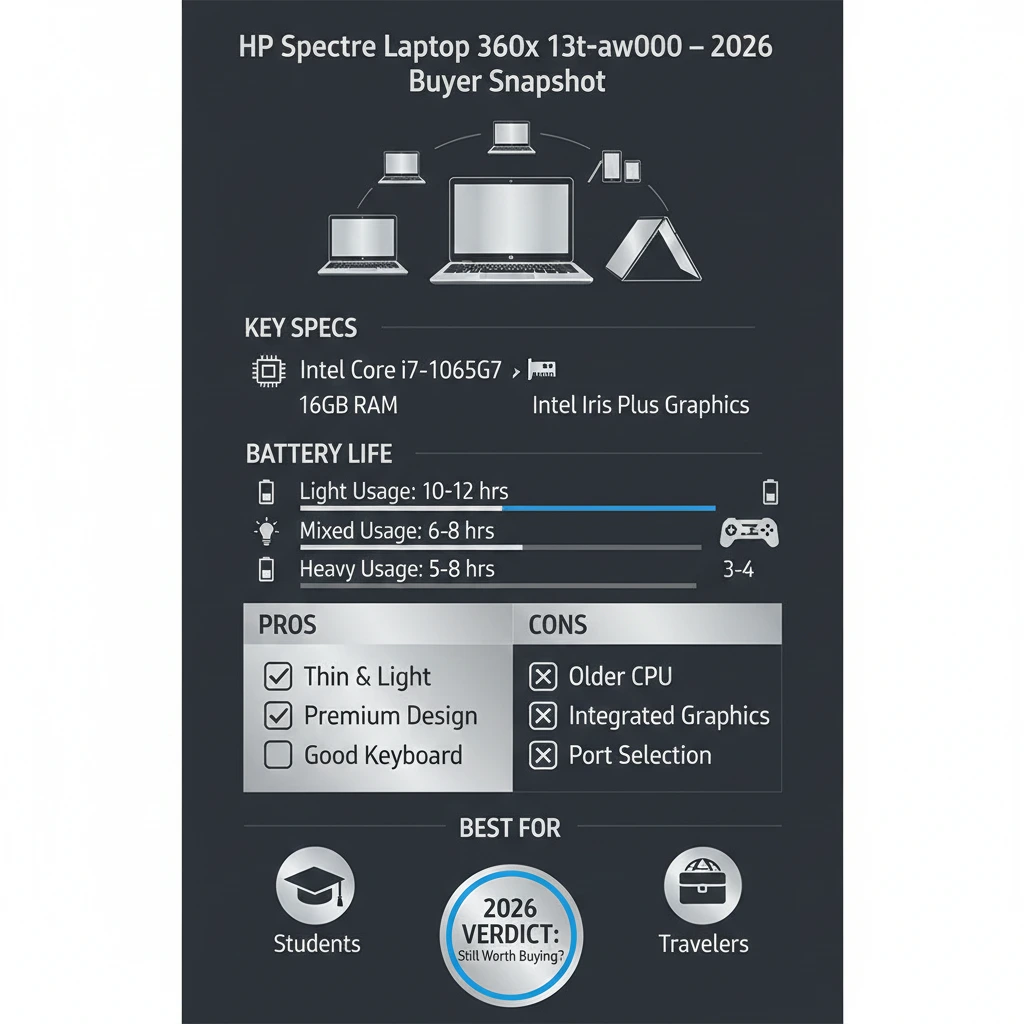
| Component | Details |
| Processor | Intel Core i7-1065G7 (10th Gen Ice Lake) |
| Graphics | Intel Iris Plus Graphics |
| RAM | 16GB LPDDR4x (Soldered) |
| Storage | 512GB / 1TB NVMe SSD |
| Display | 13.3-inch Full HD IPS Touchscreen |
| Form Factor | 2-in-1 Convertible |
| Battery | 4-cell Li-ion (~60Wh) |
| Charging | HP Fast Charge |
| Ports | 2× Thunderbolt 3, USB-A, microSD |
| Webcam | HD Webcam + Privacy Kill Switch |
| Audio | Bang & Olufsen Speakers |
| Weight | Approx. 1.3 kg |
| Operating System | Windows 10 / Windows 11 Compatible |
Design & Build Quality: Premium From Every Angle
HP has long been associated with refined industrial design, and the Spectre x360 13t-aw000 is one of the strongest examples of that Reputation.
Chassis & Materials
- Precision CNC-machined aluminum body
- Distinctive gem-cut edges that reflect light elegantly
- Matte surface that resists fingerprints better than glossy finishes
- Excellent structural rigidity with minimal flex
Even in 2026, the laptop still looks modern, professional, and upscale next to many newer competitors.
Hinge Mechanism & Long-Term Durability
The 360-degree hinge feels:
- Smooth when rotating
- Firm enough to prevent wobble
- Stable in all usage modes
Real-world ownership feedback:
Some long-term users mention minor hinge looseness after years of frequent tablet-mode usage. However, serious hinge failures are rare, and the mechanism generally ages well with normal care.
Display Quality: Beautiful, But Not Perfect
Display Specifications
- 13.3-inch Full HD IPS panel
- Capacitive touchscreen
- Active pen support
- Solid brightness and color accuracy
Screen Strengths
Sharp text clarity for reading and writing
Pleasant color reproduction for media consumption
Responsive touch input with minimal latency
Display Weaknesses (User-Reported)
Minor brightness uniformity inconsistencies
Slight screen flex when pressed in tablet mode
OLED displays on newer laptops look more vibrant
Verdict:
The display is still very good for daily productivity and entertainment, but it no longer leads the category in 2026.
Performance Review: Is It Still Fast Enough in 2026?
Intel Core i7-1065G7 Real-World Performance
While the 10th-generation Ice Lake processor is not cutting-edge today, it remains surprisingly capable for everyday workloads.
It comfortably handles:
- Microsoft Office and Google Workspace
- Heavy web browsing with many open tabs
- Online classes and virtual meetings
- Programming and light development work
- Basic photo editing
Intel Iris Plus Graphics Performance
- Significantly better than older Intel UHD graphics
- Handles casual and indie games
- Not designed for modern AAA gaming
Overall Performance Summary
Smooth daily operation
Reliable multitasking experience
Not suitable for demanding creative workloads
Thermals & Heat Management
- The laptop becomes warm under sustained load
- Fan noise is noticeable but controlled
- No aggressive thermal throttling during normal use
HP’s cooling design strikes a good balance between thinness and thermal stability, especially for a convertible form factor.
Battery Life & Charging
Real-World Battery Performance
| Usage Scenario | Battery Life |
| Light usage | 7–8 hours |
| Mixed usage | 5–6 hours |
| Heavy tasks | 4–5 hours |
Battery Degradation Over Time
After 2–3 years, many owners report noticeable battery wear — a common issue with thin premium laptops.
Charging Speed
HP Fast Charge support
Approximately 50% charge in 45 minutes
Battery Optimization Tips
- Reduce display brightness
- Disable unnecessary startup programs
- Enable Windows Battery Saver
- Keep BIOS and firmware updated
Keyboard, Trackpad & Input Experience
Keyboard Experience
- Comfortable key travel
- Well-spaced layout
- White backlighting
- Ideal for long writing or coding sessions
Trackpad Quality
- Large precision trackpad
- Smooth multi-finger gestures
- Accurate cursor control
Audio, Webcam & Connectivity
Audio Quality
Bang & Olufsen speakers deliver:
- Strong volume output
- Clear mids and vocals
- Surprisingly good bass for a thin laptop
Excellent for meetings, movies, and casual music listening.
Webcam & Privacy Features
- Decent HD webcam
- The physical camera kill switch is a major privacy advantage
Ports & Connectivity
Thunderbolt 3 support
USB-A with drop-jaw mechanism
microSD card reader
Pros & Cons
Pros
Premium design and materials
Versatile 2-in-1 functionality
Reliable everyday performance
Excellent keyboard and speakers
Cons
Battery life is average
RAM cannot be upgraded
Display is no longer best-in-class
HP Spectre x360 13t-aw000 vs Competitors
| Feature | Spectre x360 | Dell XPS 13 | Lenovo Yoga 9i |
| Design | Luxury | Minimalist | Modern |
| Battery | Average | Better | Better |
| Ports | Good | Limited | Good |
| Speakers | Excellent | Average | Excellent |
| Refurb Value | High | Medium | Medium |
Common Issues & Troubleshooting
Battery Drain Over Time
- Replace the battery after 2–3 years
- Perform monthly calibration
Display Uniformity Problems
- Software calibration may help
- Hardware defects require panel replacement
Hinge Flex Concerns
- Avoid excessive pressure in tablet mode
- Usually cosmetic, rarely functional
Who Should Buy the HP Spectre Laptop 360x 13t-aw000 in 2026?
Recommended For
Students
Business Professionals
Frequent travelers
Writers and developers
Not Recommended For
Hardcore gamers
Professional 4K video editors
FAQs
A: Yes, it handles light to moderate photo editing smoothly.
A2: The RAM is soldered and is not upgradable.
A3: especially when purchased refurbished at a competitive price.
A: Yes, it officially supports Windows 11.
Final
The HP Spectre Laptop 360x 13t-aw000 remains a stylish, dependable, and premium convertible laptop in 2026. white battery life and upgrade limitations prevent it from being perfect, but its design quality, comfort, and versatility still make it a strong value proposition.
If you want a luxury Windows 2-in-1 experience without paying flagship prices, this Spectre is still a smart and practical purchase.











