Introduction
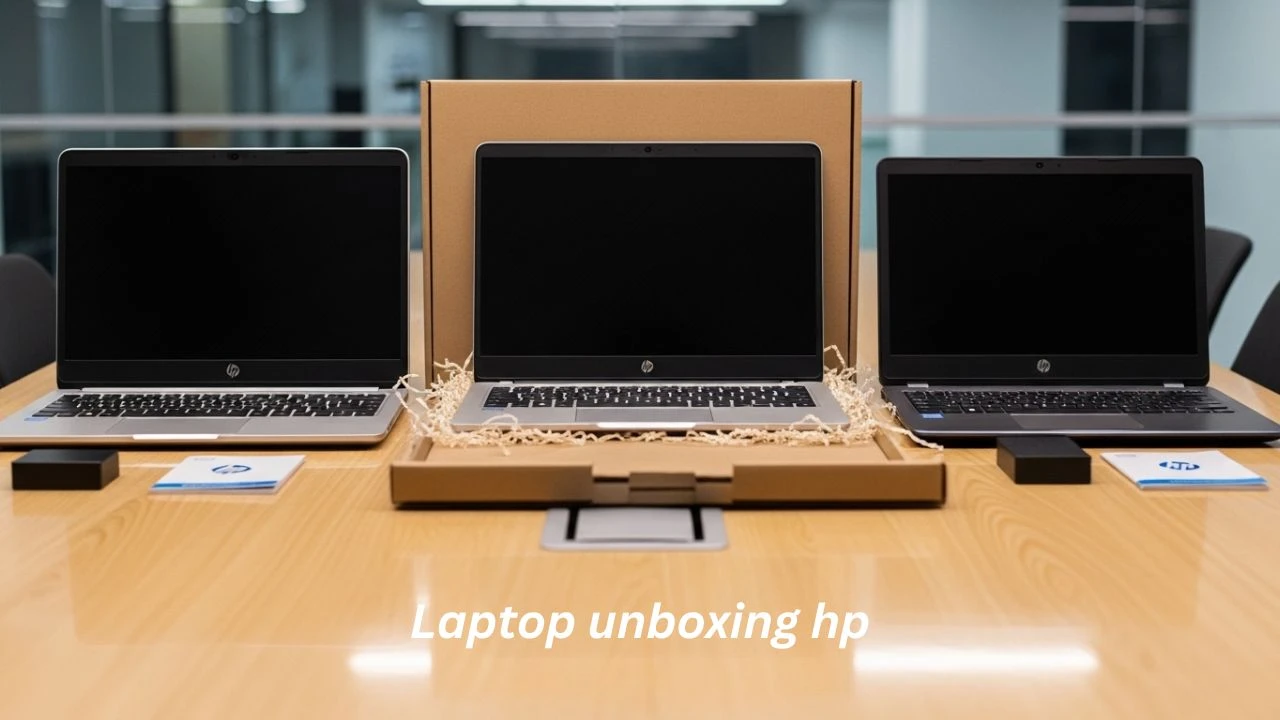
Purchasing a brand-new laptop is always an exciting moment, but the true user journey begins the instant you open the packaging. The HP laptop Unboxing Experience (2026 edition) has become a highly searched topic because buyers want complete clarity before investing their money.
Most online reviews only focus on quick unboxing clips or superficial impressions. They rarely explain what users genuinely receive inside the box, how the device behaves during its first startup, or whether the laptop feels premium, average, or budget-oriented in real-world usage.
Explanation
This in-depth guide delivers a complete breakdown of the entire experience in simple, easy-to-understand language. The goal is to make everything clear, even for beginners or younger users who are buying a laptop for the first time.
In this guide, you will discover:
- Complete the contents of the box of HP laptops
- Step-by-step first boot setup process
- Real-world performance insights after unboxing
- Honest build quality evaluation
- Key differences between HP Pavilion, HP Envy, and HP 15 series
- Common mistakes users make after setup
- Advantages and disadvantages of HP laptops
If you are planning to buy an HP laptop in 2026, this guide will help you avoid confusion and make a smarter purchasing decision.
What Comes Inside an HP Laptop Box? (Complete Breakdown)
The HP laptop unboxing experience is generally simple and consistent, but contents can vary depending on the model, price segment, and region.
Standard Box Contents (All HP Laptops)
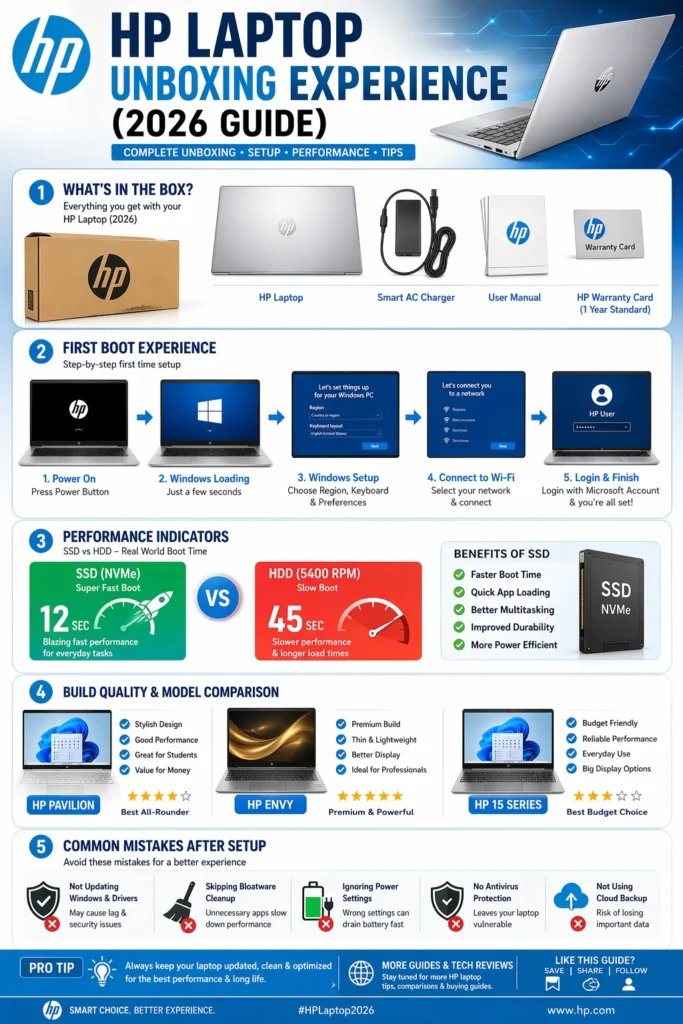
Regardless of whether you purchase a budget or mid-range HP device, you will typically receive the following items:
- HP Laptop device
- Power adapter and charging cable
- Warranty documentation
- Quick start instruction manual
- Safety and regulatory leaflets
These components form the basic standard package included with almost every HP laptop globally.
Premium Model Additions (Envy / Spectre Series)
Higher-end HP laptops often enhance the unboxing experience with additional premium elements such as:
- USB-C fast charging adapter
- Refined premium packaging design
- Support for stylus input (2-in-1 models)
- Extended setup guides and warranty inserts
Important insight: These additions improve presentation and user experience but do not directly enhance performance.
Regional Variations in Box Contents
One of the most overlooked facts about HP laptops is that packaging is not identical worldwide.
- Charger plug type differs by country
- Warranty documentation is localized
- Some regions include promotional trial software
Key takeaway: Your HP laptop unboxing experience may slightly differ depending on your geographic location.
First Boot Experience (What Happens When You Turn It On)
The first boot experience is the moment when users truly begin interacting with their new device. This stage reveals the actual responsiveness and performance of the laptop.
Startup Speed (Real-World Performance)
- SSD-based models: 10–25 seconds boot time
- HDD-based budget models: 30–60+ seconds
- Premium Envy/Spectre models: extremely fast and fluid startup
Key insight: Storage type (SSD vs HDD) has a far greater impact than brand reputation.
Windows Setup Process (Step-by-Step Flow)
During the initial startup, users go through a structured configuration process:
- Language and region selection
- Wi-Fi network connection
- Microsoft account login
- Privacy settings configuration
- Device personalization options
Average duration: 10–20 minutes
Pre-Installed Software Laptop Unboxing HP
HP laptops commonly include preloaded applications such as:
- HP Support Assistant
- HP Audio Control tools
- System diagnostics utilities
- Trial antivirus software
Important insight: While some tools are useful, excessive background applications may slow system performance if not managed properly.
Build Quality Reality Check (Honest Evaluation)
Not all HP laptops are built equally. Build quality varies significantly depending on the product series.
HP Envy / Spectre (Premium Line)
- Aluminum or metal chassis
- Strong and durable hinge structure
- Slim bezels and modern design
- High-quality keyboard experience
These devices deliver a premium feel right from unboxing.
HP Pavilion (Mid-Range Category)
- A combination of metal and plastic materials
- Balanced design aesthetics
- Slight keyboard flexibility
- Good performance-to-price ratio
Ideal choice for students and office professionals.
HP 15 / HP 14s (Budget Category)
- Mostly plastic construction
- Basic structural design
- Noticeable flex under pressure
The food is affordable rather than a premium experience.
Keyboard, Touchpad & Display Experience
Keyboard Experience: Laptop unboxing HP
- Comfortable typing for extended use
- Better tactile feedback in premium models
- Slightly shallow key travel in budget variants
Touchpad Performance
- Smooth glass touchpad in high-end models
- Basic functionality in lower-tier models
- Gesture support varies depending on the configuration
Display Quality Laptop unboxing HP
- Most HP laptops feature Full HD (1920×1080) resolution
- Budget models have average brightness levels
- Premium models offer improved color accuracy and sharpness
Battery Life vs Reality (Important Insight)
Manufacturers often advertise ideal battery performance, but real-world usage differs significantly.
Real Usage Battery Estimates
- Light usage: 5–7 hours
- Moderate usage: 3–5 hours
- Gaming or heavy tasks: 1–3 hours
Key takeaway: Battery performance depends heavily on workload, not marketing claims.
First Day Performance Experience
After completing setup, users immediately notice system responsiveness.
Smooth Performance Scenario: Laptop unboxing HP
- SSD + 8GB/16GB RAM configurations perform smoothly
- Multitasking is efficient and responsive
Slower Performance Scenario: Laptop unboxing HP
- HDD-based laptops feel slower
- Background apps may reduce performance
HP Laptop Model Comparison (Unboxing Perspective)
| Feature | HP Pavilion | HP Envy | HP 15 |
| Build Quality | Medium | Premium | Basic |
| Performance | Balanced | Fast | Low |
| Unboxing Feel | Standard | Premium | Simple |
| Display | Good | Excellent | Average |
Conclusion: HP laptops vary significantly across product lines.
Common Mistakes After Unboxing an HP Laptop
Many users unknowingly reduce system performance after setup.
Common MistakesLaptop unboxing HP
- Ignoring Windows updates
- Skipping driver updates
- Keeping unnecessary pre-installed apps
- Not fully charging before first use
Fixing these issues can instantly improve performance.
Step-by-Step HP Laptop Setup Guide
Recommended Setup Process
- Fully charge the laptop
- Complete Windows installation
- Install all system updates
- Remove unnecessary software
- Update device drivers
- Restart system
Setup Checklist
| Step | Action | Importance |
| 1 | Charge device | Critical |
| 2 | Windows setup | Critical |
| 3 | Install updates | High |
| 4 | Remove bloatware | High |
| 5 | Driver update | High |
Pros and Cons of HP Laptop Unboxing Experience
Advantages
- Simple and beginner-friendly setup
- Clean packaging experience
- Multiple model options available
- Strong global support network
Disadvantages
- Pre-installed unnecessary software
- Build quality varies by model
- Battery performance can be inconsistent
- Budget models feel less premium
FAQs
A: You typically receive the laptop, charger, manuals, and warranty documents.
A: Yes, but overall performance depends on specifications and model selection.
A: Anywhere from 10 seconds to 1 minute, depending on SSD or HDD storage.
A: Yes, most modern HP laptops come with Windows 11 pre-installed.
A: Yes, especially Pavilion and HP 15 series models for academic use.
Conclusion
The HP laptop unboxing experience (2026) is designed to be simple, accessible, and user-friendly. However, the true experience depends heavily on the model and configuration chosen by the buyer.
- Premium models (Envy/Spectre) offer a high-end feel and fast performance
- Pavilion Models provide balanced usability and affordability
- HP 15 series focuses on budget-friendly accessibility
Final takeaway: Always evaluate specifications before purchase. The unboxing experience alone does not define long-term performance.











