Introduction
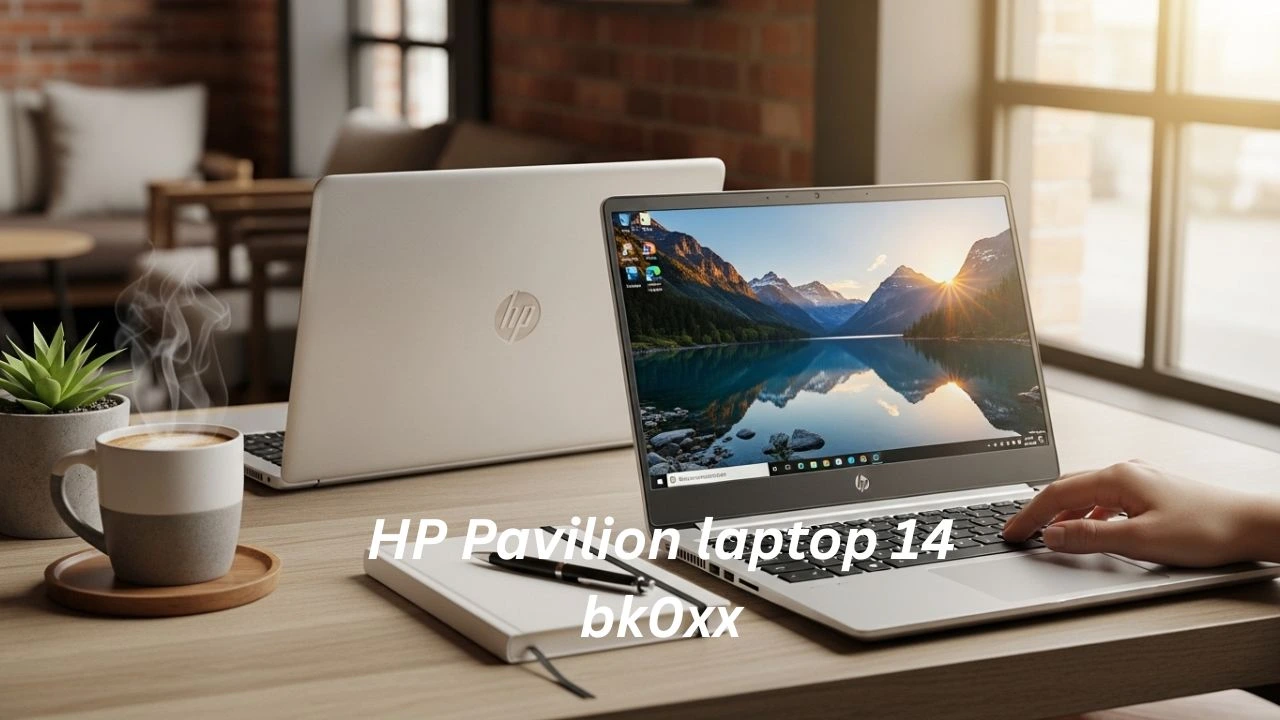
The HP Pavilion 14-bk0xx is one of the most searched used laptops in Pakistan—even in 2026. HP Pavilion laptop bk0xx.” But here’s the truth: it’s not just one laptop. HP Pavilion laptop bk0xx It’s a series of multiple configurations, and that’s exactly where most buyers get confused.
If you’ve ever seen listings claiming it’s a “gaming laptop” or wondered why prices vary so much, you’re not alone. Many sellers don’t explain what “bk0xx” actually means, and buyers end up overpaying or choosing the wrong variant.
In today’s market—especially in places like Hafeez Center, Saddar, or OLX—this laptop still offers solid value for students and office users, but only if you choose the right specs.
This updated 2026 guide cuts through the confusion and gives you:
- Real-world performance (not marketing claims)
- Upgrade potential (SSD & RAM reality)
- Used market insights in Pakistan
- Honest pros, cons, and buying checklist
Whether you’re a student, freelancer, or budget buyer, this guide will help you make a smart, risk-free purchase decision.
What is HP Pavilion Laptop 14 bk0xx?
The HP Pavilion Laptop 14 bk0xx is not a single laptop with one fixed configuration.
Instead, bk0xx is a model series code, which HP used for multiple Pavilion laptops produced mainly between 2016 and 2018. This is why you will see different variants with different specs, even though the model name looks identical.
So when you see a listing like:
“HP Pavilion Laptop 14 bk0xx.”
It may actually be any one of these:
- Core i3 model with HDD
- Core i5 model with SSD
- 4GB RAM model
- 8GB RAM model
- HD screen variant (1366×768)
- Full HD display variant (1920×1080)
- Some versions with USB-C and some without
- Some units with stronger Wi-Fi cards
The majority of Pavilion 14 bk0xx laptops are powered by Intel’s 7th Gen Kaby Lake processors, most commonly:
- Intel Core i3-7100U
- Intel Core i5-7200U
- Rare models with i7 (not common in Pakistan)
Because of this, the bk0xx series became a “mixed bag” in the used market. Buyers often assume all bk0xx units are the same, but they are not.
Some Pakistani sellers also advertise it as a “gaming laptop” because it can run games like GTA V on low settings, but that does not make it a real gaming machine..
This laptop is mainly meant for productivity tasks like:
- Study and assignments
- Browsing and online learning
- MS Office work
- Basic programming
- Light Photoshop editing
HP Pavilion Laptop 14 bk0xx Full Specifications
Below is the most common and realistic configuration you will find in Pakistan’s second-hand laptop market.
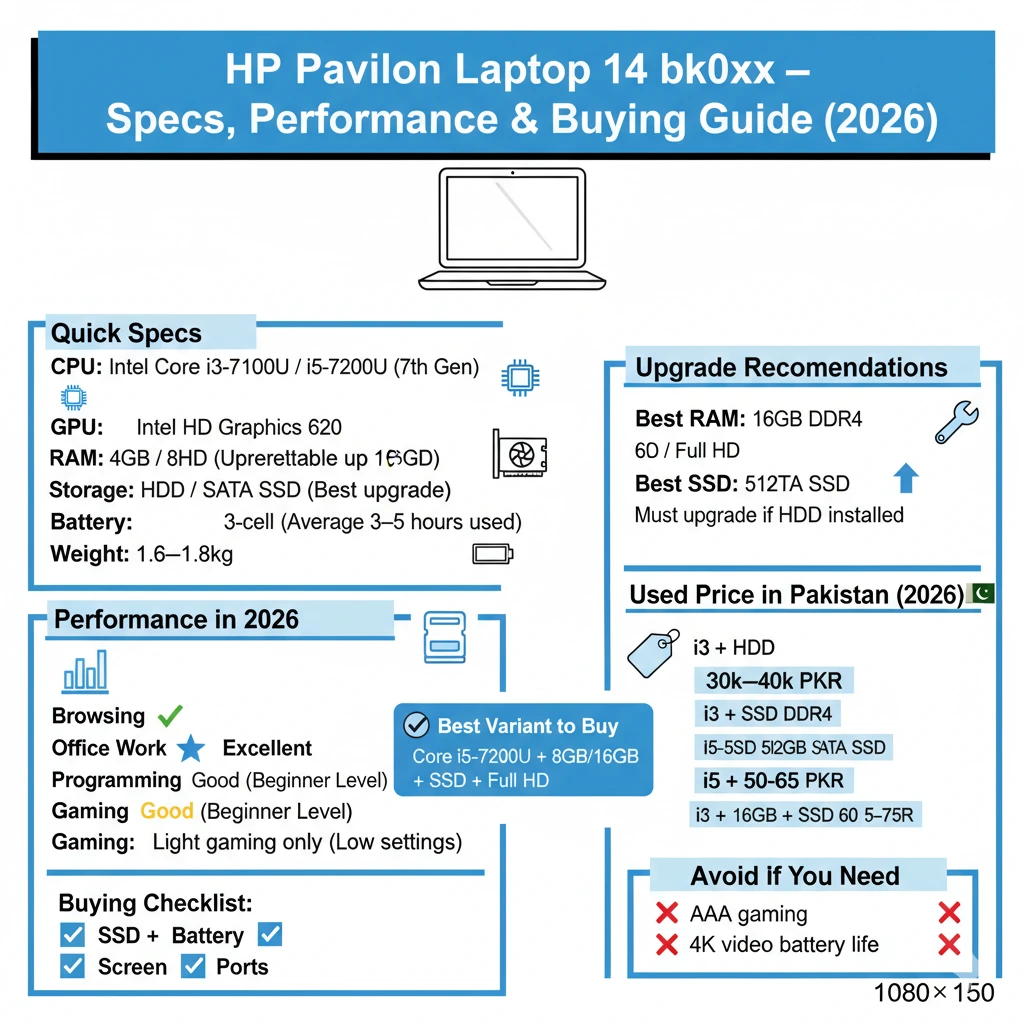
Most shops in Hafeez Centre and Saddar stock the i3/i5 versions with HDD, while upgraded units come with SSD.
HP Pavilion Laptop 14 bk0xx Specifications Table
| Feature | Typical Specs (bk0xx Series) |
| Model Family | HP Pavilion Laptop 14 bk0xx |
| Processor Options | Intel Core i3-7100U / i5-7200U (7th Gen) |
| CPU Cores / Threads | 2 Cores / 4 Threads |
| Base Clock | 2.4 GHz (i3) / 2.5 GHz (i5) |
| Turbo Boost | No Turbo on i3, Turbo up to 3.1 GHz on i5 |
| GPU | Intel HD Graphics 620 |
| RAM | 4GB / 8GB DDR4 (Upgradeable) |
| RAM Slots | Usually 1 slot (some models 2) |
| Max RAM Supported | 16GB officially (32GB possible in some cases) |
| Storage Options | HDD 500GB/1TB or SSD 128GB/256GB |
| Storage Type | SATA HDD / SATA SSD (NVMe not always supported) |
| Display Size | 14-inch |
| Display Resolution | 1366×768 HD (common) / 1920×1080 Full HD (rare) |
| Panel Type | Mostly TN, some IPS versions exist |
| Refresh Rate | 60Hz |
| Webcam | 720p HD |
| WiFi | Wi-Fi 5 (802.11ac) |
| Bluetooth | Bluetooth 4.2 |
| Ports | USB-A, USB 2.0, HDMI, Audio Jack, SD Card |
| USB-C | Available in some variants |
| Battery | 3-cell Lithium-ion (approx 41Wh typical) |
| Weight | Around 1.6–1.8 kg |
| OS | Windows 10 (upgradeable to Windows 11 unofficially) |
| Build Material | Mostly plastic chassis |
HP Pavilion 14 bk0xx Processor Variants
Most people searching for HP Pavilion Laptop 14 bk0xx specs are actually trying to figure out which processor version is better.
Let’s explain this simply and practically.
Intel Core i3-7100U Performance
The Intel Core i3-7100U is a dual-core processor with 4 threads. It is energy-efficient, but it is not designed for heavy workloads.
In 2026, the i3 version is still usable, but only if the laptop has an SSD and enough RAM.
Best for:
- Browsing websites
- YouTube and Netflix streaming
- Google Classroom and online learning
- MS Word, Excel, PowerPoint
- Zoom meetings and video calls
- Basic daily computing
Not good for:
- Heavy multitasking
- Professional-level programming projects
- Running multiple heavy applications together
- Editing high-resolution images
Intel Core i5-7200U Performance (Best Variant)
The Intel Core i5-7200U is the best and most recommended CPU in the Pavilion bk0xx family. It has Turbo Boost, which helps performance significantly.
It feels smoother in daily use, especially for multitasking.
Best for:
- Office work and productivity
- Smooth web browsing
- Freelancing tasks
- Programming and coding
- Light graphic design
- Light Photoshop and Canva usage
- Faster Windows experience
Real-World Usage Trend in 2026 (Important Insight)
In 2026, lightweight apps and cloud-based tools have made older laptops like the Pavilion bk0xx more usable than expected.
- Tools like Google Docs, Canva, and web apps reduce dependency on heavy local software
- Even low-end systems perform better due to browser optimization updates
- Students and freelancers now rely more on cloud workflows instead of heavy installations
This means:
A properly upgraded bk0xx (SSD + 8GB/16GB RAM) still fits perfectly into modern lightweight productivity ecosystems
Daily Performance Experience
Web Browsing
For browsing, the laptop is still acceptable.
- Chrome works smoothly with 6–12 tabs
- Facebook, Gmail, YouTube, and OLX browsing is fine
- Works better with 8GB or 16GB RAM
If your unit has only 4GB RAM, Chrome may freeze, lag, or slow down, especially if multiple tabs are open.
Office Work
For office users, this laptop is still a solid option in 2026.
It runs Microsoft Office smoothly, especially if you have an SSD.
Perfect for:
- MS Word
- MS Excel
- PowerPoint presentations
- Google Docs
- Online office work
- Zoom meetings
- Emails and PDF files
YouTube & Netflix
The HP Pavilion 14 bk0xx can play 1080p YouTube videos smoothly.
- 720p and 1080p streaming is no issue
- Speakers are average, not loud
- Full HD display variants look much better
HD display models look dull and not sharp, which can reduce the viewing experience.
Programming Performance
This laptop is still a good choice for beginner-level coding.
It supports:
- HTML / CSS / JavaScript
- Python programming
- C++ basics
- Web development projects
- Visual Studio Code
- Database work (small projects)
Not ideal for:
- Android Studio heavy builds
- Docker containers and virtualisation
- Machine learning training
- AI projects requiring GPU power
Photo Editing
For basic editing, the laptop is usable.
Works fine for:
- Canva editing
- Photoshop light usage
- Small Lightroom edits
- Social media thumbnails and banners
Not recommended for:
- Heavy RAW photo editing
- Professional Adobe workflow
- Large PSD projects with multiple layers
Gaming Performance
Let’s be clear: this is not a gaming laptop.
The Intel HD 620 GPU is an integrated graphics card, which means it is designed for normal use, not gaming.
- Valorant (low)
- CS: GO (low-medium)
- GTA V (very low settings)
- FIFA 18/19
- Minecraft
- Dota 2
- League of Legends
Not playable:
- Call of Duty Warzone
- Cyberpunk 2077
- Elden Ring
- Modern AAA games
Benchmarks: HP Pavilion Laptop 14 bk0xx
Benchmarks can vary a lot depending on:
- SSD vs HDD
- RAM (4GB vs 8GB vs 16GB)
- Thermal paste condition
- Fan cleaning and dust level
- Battery condition and power settings
But these are realistic benchmark estimates for the i5 model.
Windows & Software Compatibility in 2026
One important update most guides miss:
- Windows 10 support is nearing its final phase
- Windows 11 works—but not officially supported
- Many users now prefer lightweight Windows 10 builds or optimized Windows 11 installs
Pro tip:
For best performance in 2026:
- Use Windows 10 + SSD + debloated setup
- Or install optimized Windows 11 (only if SSD is installed)
This improves:
- Boot time
- Battery efficiency
- System responsiveness
CPU Benchmark Estimates
| Benchmark | Expected Score |
| Geekbench 5 Single-Core | ~650–750 |
| Geekbench 5 Multi-Core | ~1400–1700 |
| Cinebench R20 | ~650–850 |
| PassMark CPU | ~3500–4200 |
Intel HD Graphics 620 Benchmark
| Test | Performance |
| Casual Gaming | Yes |
| 4K Video Editing | No |
| Modern AAA Gaming | No |
| eSports Low Settings | Yes |
Display Quality: HD vs Full HD
The display is one of the biggest weaknesses of the Pavilion 14 bk0xx series.
Pros:
- low price in the used market
- Slightly better battery efficiency
Cons:
- Text looks blurry and pixelated
- Poor viewing angles (TN panel)
- Not comfortable with long study sessions
- Colours look faded and washed out
1920×1080 Full HD Screen (Rare, Best Choice)
This is the best display variant,t but harder to find.
Pros:
- Sharp text and better clarity
- Better YouTube/Netflix experience
- More comfortable for coding and writing
- Better workspace for Multitasking
Cons:
- Slightly more battery usage
- Rare in Pakistani markets
Build Quality Pros:
- Lightweight body
- Easy to carry
- Hinges are generally stable
- Keyboard deck feels solid
Build Quality Cons:
- Plastic chassis scratches easily
- Some screen flex exists
- Not spill-resistant
- Not designed for rough handling
Keyboard & Touchpad Experience
Keyboard
The keyboard is one of the strongest advantages of this laptop.
- Comfortable typing feel
- Good key travel
- Nice spacing
- Great for assignments, blogging, freelancing
Touchpad
The touchpad is decent.
- Smooth gestures supported
- Works well for browsing
- Not premium like modern laptops
Expected Battery Backup
| Condition | Battery Backup |
| New battery (rare) | 6–8 hours |
| Average used battery | 3–5 hours |
| Weak battery | 1–2 hours |
Thermal Behavior
- Normal use: cool and quiet
- Heavy load: the fan becomes noticeable
- Dusty unit: temperature rises quickly
Common Overheating Causes
- Dust inside the cooling fan
- Old thermal paste
- Blocked vents
- Fan not spinning properly
Ports & Connectivity
Most Pavilion 14 bk0xx models include a good selection of ports.
Common ports:
- USB 3.0
- USB 2.0
- HDMI
- SD card reader
- headphone jack
Used Laptop Market Trend in Pakistan (2026)
The used laptop market in Pakistan has evolved significantly:
- Increased demand due to rising new laptop prices
- More refurbished imports are entering the market
- Sellers upgrading HDD → SSD before resale
What this means for buyers:
- You can find better upgraded deals now
- But also more overpriced listings with fake upgrades
Smart tip:
Always verify:
- SSD brand & health
- RAM configuration
- Battery cycles
Port Availability Table
| Port | Available? |
| USB-A | Yes |
| HDMI | Yes |
| USB-C | Sometimes |
| Ethernet | Usually no |
| SD Card Reader | Yes |
| Audio Jack | Yes |
HP Pavilion 14 bk0xx RAM Upgrade Guide
RAM upgrade is one of the best improvements you can make.
Most units come with:
- 4GB DDR4
- 8GB DDR4
Recommended RAM Upgrade
- Minimum: 8GB
- Best: 16GB
If you use Chrome, Zoom, programming, or Excel, 16GB gives a much smoother experience.
Does HP Pavilion 14 bk0xx Support 32GB or 64GB RAM?
Some sellers claim 64GB support, but realistically:
- 16GB is safe and confirmed
- Some units may support 32GB
- 64GB is almost impossible in this series
Best SSD Size Recommendation
| User Type | Recommended SSD |
| Student / Basic | 256GB |
| Office / Work | 512GB |
| Programmer | 512GB – 1TB |
Maintenance Tips (Used Laptop Buyers Must Read)
If you buy a used Pavilion 14 bk0xx, maintenance is important.
This is not optional in Pakistan because most laptops are dusty.
Basic Maintenance Checklist
- Clean the fan and vents
- Replace thermal paste (recommended)
- Install fresh Windows
- Update drivers with HP Support Assistant
- Check battery health
- Check SSD health using CrystalDiskInfo
Common Issues in Used Pavilion bk0xx
- Weak battery
- Loose hinge
- Missing keyboard keys
- Slow HDD
- Screen yellowing or dead pixels
- Charger not original
Key Differences
New Pavilion models (11th Gen, 12th Gen, Ryzen 5000+) offer:
- More CPU cores (4 to 10 cores)
- Better integrated graphics (Iris Xe / Radeon)
- Better Full HD IPS displays
- Better battery life
- Wi-Fi 6 / Wi-Fi 6E
- Faster NVMe SSD support
Comparison Table: Pavilion 14 bk0xx vs New Pavilion 14
| Feature | Pavilion 14 bk0xx | New Pavilion 14 (2022–2025) |
| CPU | 7th Gen Dual-core | 11th–13th Gen / Ryzen 5+ |
| RAM | DDR4, upgradeable | DDR4/DDR5 (often soldered) |
| Storage | SATA SSD/HDD | NVMe SSD |
| GPU | Intel HD 620 | Iris Xe / Radeon |
| Display | Mostly HD TN | Full HD IPS/OLED |
| Battery | 3–5 hours used | 7–12 hours |
| Best Use | Budget student/office | Modern multitasking |
| Price | Cheap used | Expensive new |
HP Pavilion 14 bk0xx Best Alternatives
If you want stronger durability and better long-term value, consider these alternatives.
Lenovo ThinkPad T470 / T480
- Strong build quality
- Best keyboard
- Business reliability
- Better upgrade options
Dell Latitude 5480 / 5490
- Rugged design
- Durable hinges
- Better cooling system
- Excellent upgrade flexibility
HP EliteBook 840 G4 / G5
- Premium aluminum build
- Better screen quality
- Business-grade laptop
- Strong long-term performance
Acer Aspire 5 (Ryzen models)
- Better performance if found used
- Good battery backup
- Ryzen processors give strong value
If these are available at a similar price, they are often better than Pavilion bk0xx.
Pros & Cons of HP Pavilion Laptop 14 bk0xx
Pros
- Affordable in the used market
- Lightweight and portable
- i5-7200U still usable in 2026
- SSD upgrade makes it fast
- RAM upgrade possible
- Comfortable keyboard
Cons
- Many units have an HD screen
- Battery health is often weak
- Not good for gaming
- Plastic body scratches easily
- Not officially supported for Windows 11
Who Should Buy the HP Pavilion Laptop 14 bk0xx?
Let’s break it down clearly.
Best for Students
Perfect for:
- Online classes
- Assignments and homework
- Browsing and research
- MS Office work
Recommended configuration:
i5 + 8GB RAM + 256GB SSD
Best for Office Workers
Perfect for:
- Excel and Word
- Emails
- Zoom meetings
- PowerPoint presentations
Recommended configuration:
i5 + 16GB RAM + 512GB SSD
Best for Programmers (Beginner Level)
Good for:
- Web development
- Python learning
- VS Code coding
- University projects
Not ideal for:
- AI training
- Heavy Android Studio builds
Recommended configuration:
i5 + 16GB RAM + SSD
Best for Home Users
Good for:
- Netflix and YouTube
- Browsing
- Video calls
- Light editing
Who Should Avoid This Laptop?
Avoid Pavilion 14 bk0xx if you are:
- A gamer wanting high FPS
- A video editor working with 4K
- A designer needing accurate colors
- Someone needing 6–8 hours of battery backup
- Someone wanting future-proof performance for 5+ years
HP Pavilion 14 bk0xx Price in Pakistan
In Pakistan, this laptop is common in:
- Hafeez Center Lahore
- Saddar Karachi
- Saddar Rawalpindi
- OLX listings
- Facebook Marketplace
- Local laptop dealers
Expected Used Price Range in Pakistan
| Variant | Expected Price (PKR) |
| i3 + 4GB + HDD | 30,000 – 40,000 |
| i3 + 8GB + SSD | 40,000 – 50,000 |
| i5 + 8GB + HDD | 42,000 – 52,000 |
| i5 + 8GB + SSD | 50,000 – 65,000 |
| i5 + 16GB + SSD | 60,000 – 75,000 |
Prices depend on:
- battery health
- display condition
- SSD installed or not
- original charger availability
- body scratches and hinge condition
Buying Checklist
Before purchasing Pavilion 14 bk0xx, check these points carefully.
Must-Check Points
- CPU model (i5-7200U is best)
- SSD installed? (avoid HDD-only)
- RAM size (8GB minimum)
- Display resolution (Full HD preferred)
- Battery backup (at least 2–3 hours)
- Charger original or compatible
- WiFi working properly
- USB ports working
- The keyboard and touchpad are working
Quick Testing Tips
- Run YouTube 1080p for 5 minutes
- Check overheating using Task Manager CPU load
- Check SSD health via CrystalDiskInfo
- Check RAM using Windows Memory Diagnostic
Can Pavilion 14 bk0xx Run It?
Officially: Not supported
Realistically, yes, it can run Windows 11
Microsoft does not officially support Intel i5-7200U, but users install Windows 11 using bypass methods.
Best OS Recommendation
- Windows 10 (best stability)
- Windows 11 (only if SSD installed)
Upgrade Recommendations (Best Setup for 2026)
If you buy this laptop in 2026, this is the best upgrade setup.
Best Upgrade Combination
| Component | Recommended |
| RAM | 16GB DDR4 |
| Storage | 512GB SATA SSD |
| Battery | Replace if below 60% health |
| Thermal Paste | Replace if overheating |
FAQs
A: Yes. It’s excellent for online classes, assignments, MS Office, and browsing—especially with an SSD.
A: Yes, but it’s not officially supported. It can be installed using bypass methods.
A: Yes, for beginner to intermediate programming, web development, and coding. Not ideal for heavy AI or Android Studio tasks.
A: Yes. Most variants support RAM upgrades, and 16GB is the best target for 2026.
Conclusion
The HP Pavilion 14-bk0xx remains a reliable budget laptop in 2026, but only for the right type of user.
With the right configuration—Core i5 + SSD + 8GB/16GB RAM—it still delivers smooth performance for:
- Students
- Office users
- Freelancers
- Home users
However, it’s important to understand its limitations:
- Aging hardware
- Weak battery in the most used units
- Basic display quality
Final advice:
If your budget is tight and you find a clean, upgraded unit, it’s still a smart buy. But if you can stretch your budget, newer or business-class laptops will offer better long-term value.