Introduction
Choosing the right HP Laptop Charger 45W (19.5V 2.31A) is not as simple as picking any adapter that “fits.” In 2026, HP laptops are smarter, more power-sensitive, and increasingly dependent on precise power communication systems. A mismatched charger might still turn your laptop on—but behind the scenes, it can silently reduce performance, damage your battery, or even shorten your device’s lifespan.
Many users still believe:
- “If the plug fits, it will work fine.”
This is one of the most costly mistakes laptop owners make.
Modern HP laptops actively communicate with the charger, verifying voltage, current, connector type, and even authenticity before allowing full-speed charging. If something is off—even slightly—you may face slow charging, overheating, or system warnings.
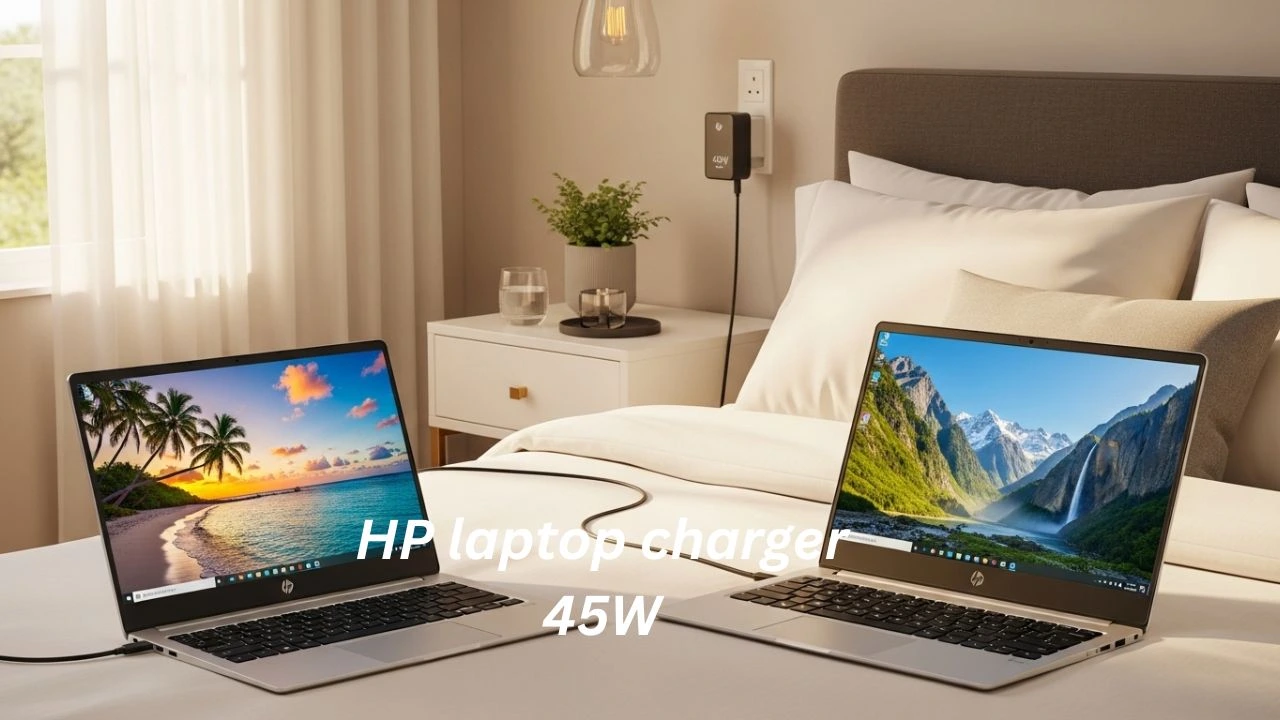
A 45W charger is commonly used with:
- HP Stream laptops
- HP Chromebooks
- Lightweight HP Pavilion notebooks
- HP EliteBook ultrabooks
- Entry-level HP ProBook models
But here’s what most guides miss:
Wattage alone is NOT enough for compatibility.
You must also verify:
- Exact voltage output (19.5V)
- Correct amperage (2.31A)
- Connector type (barrel vs USB-C)
- Smart pin or USB-C PD support
- Safety certifications
This guide goes deeper than typical articles. By the end, you’ll clearly understand compatibility, safety risks, and how to confidently choose the right charger in 2026.
Most online articles oversimplify these factors. This guide does not.
By the end of this in-depth buying guide, you will clearly understand:
- What HP Laptop Charger 45W (19.5V 2.31A) actually means
- Which HP laptops genuinely require this charger
- The real differences between barrel chargers and USB-C chargers
- OEM HP chargers vs third-party alternatives
- How to identify unsafe or counterfeit adapters
- Expert buying advice trusted by technicians and IT professionals
Whether you are a student, remote employee, business user, traveler, or IT procurement manager, this guide will help you make a safe, informed, and future-proof choice.
What Is an HP Laptop Charger 45W?
An HP 45W laptop charger is designed to supply 45 watts of electrical power to compatible HP notebooks.
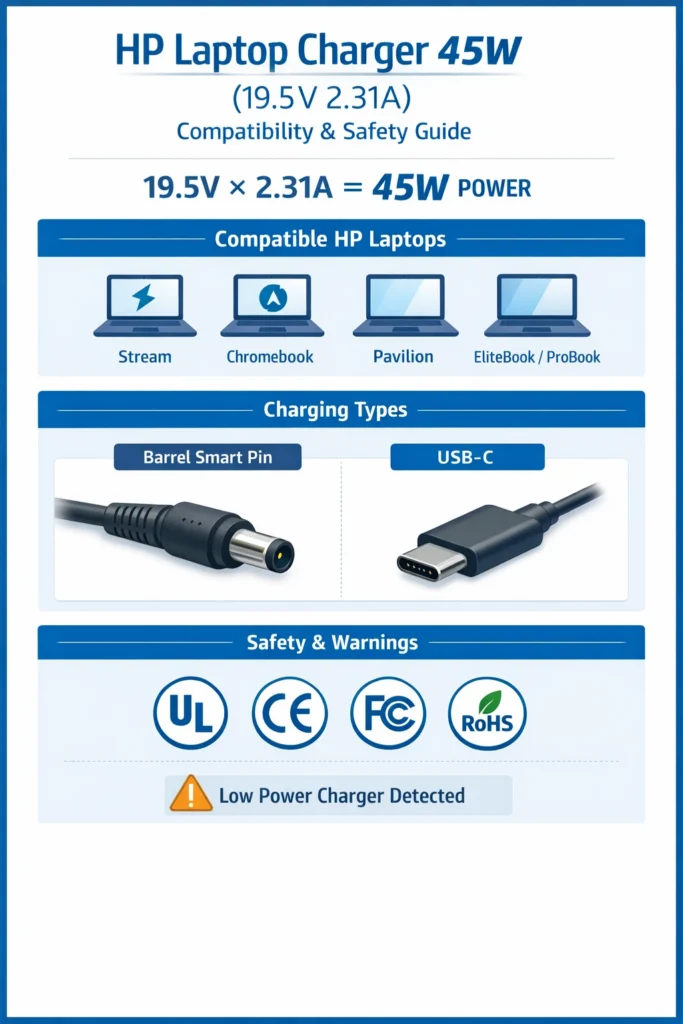
Power (Watts) = Voltage (V) × Current (Amps)
- Voltage: 19.5V
- Current: 2.31A
- Total Output Power: ~45W
This specific power profile is optimized for low-power and mid-range HP laptops, not for high-performance gaming systems or mobile workstations.
Typical HP 45W Charger Specifications
| Specification | Value |
| Output Power | 45W |
| Output Voltage | 19.5V |
| Output Current | 2.31A |
| Connector Type | Barrel (Smart Pin) or USB-C |
| Input Voltage | 100–240V AC |
| Frequency | 50–60Hz |
These chargers are engineered to provide stable, regulated power while minimizing heat generation and protecting battery cells.
HP Laptop Models That Commonly Use a 45W Charger
Many HP laptops are specifically designed to operate with a 45W power adapter.
Common Compatible HP Series:
- HP Stream
- HP Chromebook
- HP Pavilion (lightweight configurations)
- HP EliteBook Ultrabooks
- HP ProBook entry-level models
However, HP frequently releases multiple configurations under the same model name. Always confirm your exact power requirement.
How to Verify Charger Compatibility
Check one or more of the following:
- Label on the bottom of your laptop
- Original charger specifications
- HP Support website (model-specific documentation)
Never rely on assumptions or visual similarity alone.
How HP Laptop Charging Works (Beginner → Expert Level)
Smart Power Regulation Explained
HP laptops do not accept raw electrical power directly.
Instead, the system performs multiple checks before charging begins:
- Detects the connected charger
- Confirms voltage accuracy
- Verifies current capacity
- Authenticates the connector
- Controls charging speed dynamically
- Protects battery cells from stress
If any parameter falls outside acceptable limits, the laptop immediately adjusts or blocks charging.
Common Warning Messages You May See
- “Low power charger detected.”
- “Plugged in, not charging.g”
- Noticeably slow charging
- Reduced CPU/GPU performance
- Batteryis draining even when plugged in
These are protective responses, not software bugs.
Smart Power Communication
Barrel Smart Pin Chargers
Traditional HP barrel chargers include a center smart pin that:
- Identifies the charger
- Confirms wattage capacity
- Enables normal charging speed
- Prevents unsafe power delivery
If the smart pin is damaged or missing:
- Performance may be limited
- The battery may refuse to charge fully
- Warning messages appear
USB-C Power Delivery
Modern HP laptops increasingly rely on USB-C Power Delivery.
USB-C PD negotiates:
- Voltage levels
- Current limits
- Maximum power output
If the charger does not support the correct PD profile, the laptop may reject it entirely or charge inconsistently.
Smart Charging & USB-C Standardization
In 2026, HP and other laptop manufacturers are rapidly shifting toward USB-C Power Delivery as a universal charging standard. Many newer HP models now support multi-device charging ecosystems, allowing one charger to power laptops, tablets, and smartphones.
However, this convenience comes with risks. Not all USB-C chargers are equal—many cheaper adapters fail to deliver stable voltage or correct PD negotiation. As a result, professionals and technicians still recommend OEM or certified USB-C PD chargers for reliability and long-term battery health.
Insight: If you’re buying a charger today, consider future-proof USB-C compatibility, but only from trusted brands.
HP Charger Types Explained: Barrel Connector vs USB-C
HP 45W Smart Pin Barrel Charger
This traditional HP charger uses a 4.5mm × 3.0mm blue-tip connector.
Advantages
- Excellent legacy compatibility
- Secure physical connection
- Smart pin authentication
- Stable voltage delivery
Limitations
- Not compatible with USB-C-only laptops
- Connector size must match precisely
HP 45W USB-C Charger
USB-C charging is becoming more common in modern HP laptops.
Advantages
- Universal charging standard
- Reversible connector
- Can power phones, tablets, and laptops
Limitations
- Requires correct PD protocol
- Some HP laptops reject third-party USB-C chargers
- Low-quality adapters may overheat
How to Choose the Best HP Laptop Charger 45W
Follow these steps carefully to avoid costly mistakes.
Match Voltage Exactly
- Required voltage: 19.5V
- Even small deviations can damage internal components
Never use:
- 18.5V chargers
- 20V chargers (unless USB-C PD certified and supported)
Check Amperage
- Required current: 2.31A
Higher amperage = Safe
Lower amperage = Unsafe
The laptop only draws what it needs — the charger must be capable of supplying it.
Identify Connector Type
Choose one correct option only:
- Barrel Smart Pin
- USB-C Power Delivery
They are not interchangeable.
Verify Safety Certifications
Look for printed or embossed markings:
- UL
- CE
- FCC
- RoHS
No visible certifications = do not buy
Brand Reputation & Warranty
Avoid chargers with:
- No brand identity
- Fake reviews
- Missing warranty information
Original HP Charger vs Third-Party Charger
OEM HP 45W Chargers
Pros
- Guaranteed compatibility
- Stable, regulated power
- Better thermal management
- Official HP warranty
Cons
- Higher price
- Occasionally shorter cable length
Third-Party HP 45W Chargers
Pros
- More affordable
- Easy Availability
- Often longer cables
Cons
- Quality varies widely
- Fake certifications are common
- Higher overheating risk
Comparison Table
| Feature | OEM HP Charger | Third-Party Charger |
| Compatibility | Excellent | Varies |
| Safety | High | Medium–Low |
| Price | Higher | Lower |
| Warranty | Yes | Sometimes |
Top HP Laptop Charger 45W Options
| Rank | Charger Name | Output | Connector | Best For |
| #1 | HP 45W 19.5V 2.31A Blue Tip | 45W | Barrel | Maximum compatibility |
| #2 | HP 45W USB-C Power Adapter | 45W | USB-C | Modern ultrabooks |
| #3 | SKSTYLE HP 45W Charger | 45W | Barrel | Value + safety |
| #4 | BatteryMon 45W Adapter | 45W | Barrel | Wide model support |
| #5 | ROLADA HP 45W Charger | 45W | Barrel | Budget replacement |
Safety Certifications & Why They Matter
Laptop chargers convert high-voltage AC power into low-voltage DC electricity. Safety is essential.
Must-Have Protections
- Over-voltage protection
- Over-current protection
- Short-circuit protection
- Thermal regulation
Certification Meanings
- UL: Electrical safety testing
- CE: European compliance
- FCC: Electromagnetic interference control
- RoHS: Hazard-free materials
HP 45W Charger Compatibility Questions
Can a 45W charger power a 65W HP laptop?
It may power the laptop, but:
- Charging will be slow
- Performance may be limited
- The battery may drain under load
Can I use a 65W charger instead?
Yes — higher wattage is safe if:
- Voltage matches
- Connector matches
Why does my laptop say “low power charger”?
- Cannot supply enough current
- Is not authenticated
- Has a damaged smart pin
Common HP Laptop Models Using 45W Chargers
| HP Series | Typical Charger |
| HP Stream | 45W |
| HP Chromebook | 45W |
| HP Pavilion (light) | 45W |
| HP EliteBook Ultrabook | 45W |
| HP ProBook Entry | 45W |
Real-World Insight: Why Cheap Chargers Fail Early
From technician experience, one of the most common issues in repair shops is low-quality third-party chargers failing within 3–6 months.
Common problems include:
- Overheating adapters
- Voltage fluctuations
- Cable fraying
- Smart pin failure
These issues don’t just affect charging—they can damage:
- Battery cells
- Charging IC (motherboard)
- Internal power circuits
Practical advice: Spending slightly more on a certified charger can save hundreds in repair costs later.
FAQs
A: Yes. Most support 100–240V worldwide input.
A: Typically, 3–5 years with proper handling.
A: More flexible, but barrel chargers remain more reliable for older HP laptops.
Conclusion
Choosing the right HP Laptop Charger 45W (19.5V 2.31A) is not just about powering your device—it’s about protecting your laptop’s Performance, battery health, and long-term reliability.
The key takeaways are simple:
- Always match voltage exactly (19.5V)
- Ensure correct amperage (2.31A or higher)
- Choose the right connector type
- Prioritize certified and trusted brands
With laptops becoming smarter and more sensitive to power input in 2026, using the wrong charger is no longer a minor mistake—it’s a risk.
By following this guide, you can:
Avoid overheating and hardware damage
Extend battery lifespan
Ensure safe and efficient charging
Make a confident, future-proof purchase
If you’re planning to buy a charger, take a few extra minutes to verify compatibility—it can save you from costly repairs later.