Introduction
Your Dell Laptop charger is far more than a simple power supply — it governs how efficiently your laptop charges, influences the lifespan of your battery, and ensures the overall safety of your system. A reliable charger safeguards your device, whereas a substandard charger can trigger problems such as sluggish charging, battery alerts, excessive heat, or even permanent damage.
Many users only pay attention to their charger when it malfunctions. Yet, understanding how chargers operate, selecting the correct one, and knowing how to resolve common issues can save significant time, reduce expenses, and prevent unnecessary stress.
Explanation
This comprehensive guide covers every critical aspect — from compatibility charts and connector varieties to OEM versus third-party alternatives, safety considerations, wattage specifications, and detailed troubleshooting techniques. By the conclusion, you will be equipped to select the ideal Dell charger for your laptop and confidently handle any issues that arise.
Whether you are a tech novice or an experienced user, this guide is tailored to enhance your comprehension of Dell laptop battery chargers and empower you to make informed purchasing and maintenance decisions.
What Is a Dell Laptop Battery Charger?
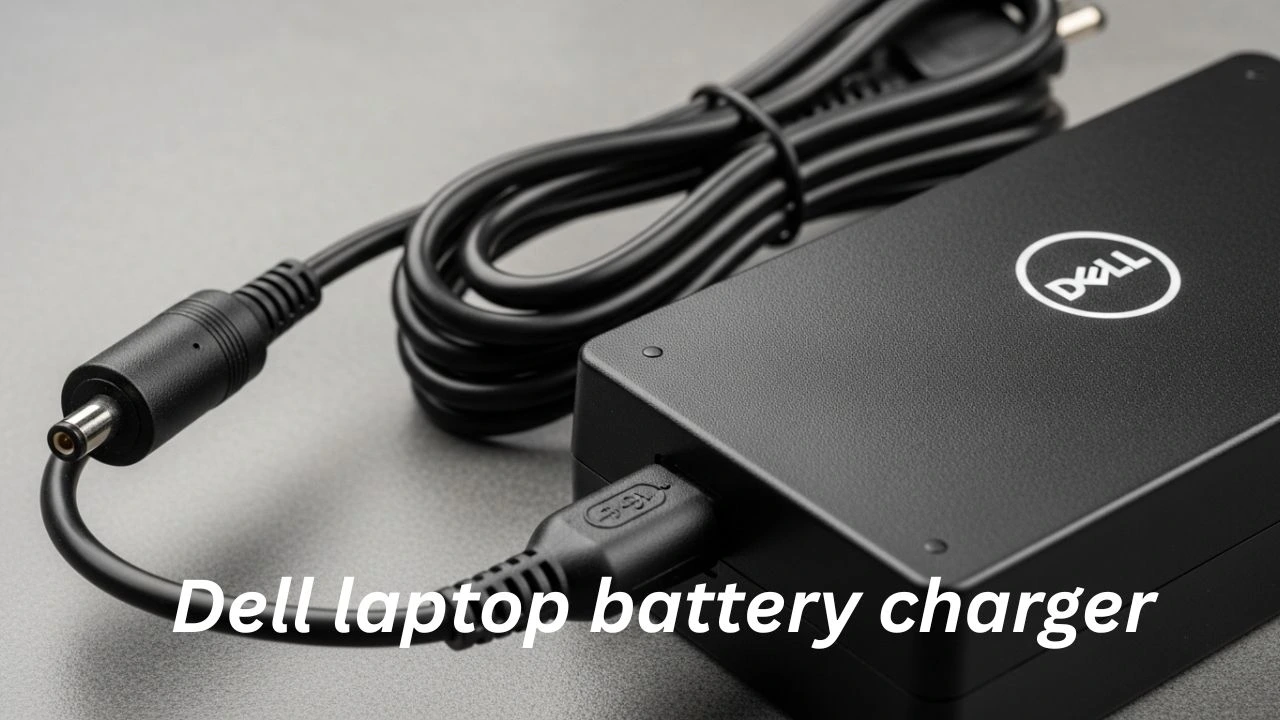
A Dell laptop battery charger, also referred to as a Dell AC adapter or power brick, is a device that converts wall electricity into a form your laptop can safely utilize.
Primary Function
The fundamental purpose of a Dell charger is to:
- Transform AC electricity from the wall outlet into DC energy suitable for laptop operation
- Supply real-time power to your laptop
- Recharge the internal battery securely
Using an incompatible or malfunctioning charger may result in insufficient power delivery or excessively slow charging.
AC Adapter vs Battery Charger
While many people use these terms interchangeably, there is a subtle distinction:
| Term | Definition |
| AC Adapter | Converts wall current into laptop-compatible electricity |
| Battery Charger | Component responsible for replenishing the laptop battery |
In Dell laptops, the AC adapter and battery charging system are integrated. The charger not only powers the laptop but also manages battery replenishment intelligently.
How Dell Chargers Operate Safely
Dell chargers are engineered with advanced protection mechanisms to maintain system safety. Key features include:
Voltage and wattage matching for your laptop model
Thermal safeguards to prevent overheating
Intelligent communication with the laptop, especially for USB‑C PD adapters
Surge and spike protection
These protective measures ensure your laptop remains secure even during unstable power conditions.
Dell Charger Compatibility — Know Your Model
Selecting an incompatible charger is one of the most common mistakes. Using the wrong charger may cause:
Slower charging times
Premature battery wear
System warnings or error messages
Unexpected laptop shutdowns
Irreversible battery damage
Before purchasing a charger, it’s essential to confirm compatibility with your specific laptop.
Matching Wattage, Voltage & Connector
Each Dell laptop requires a precise combination of:
- Wattage (W): Determines the strength of power
- Voltage (V): Defines electrical pressure, which must be correct
- Connector type: Ensures the plug physically fits your laptop
These specifications are typically printed on the original charger label or located near the service tag on your laptop’s underside.
| Charger Specification | Explanation |
| Wattage (W) | Amount of energy your laptop can draw |
| Voltage (V) | Electrical pressure necessary for safe operation |
| Connector Type | Physical plug design compatible with your device |
Dell Charger Varieties
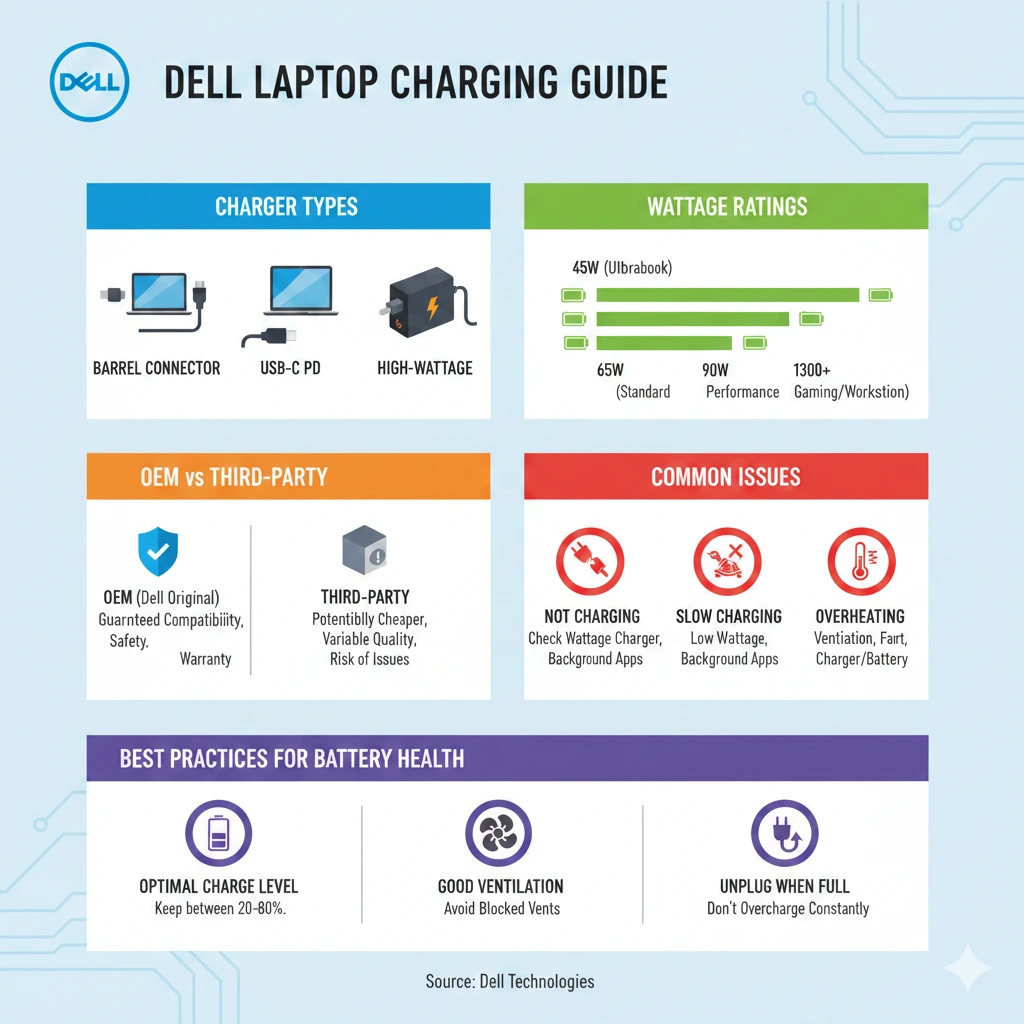
| Charger Type | Compatible Models | Connector | Notes |
| Barrel Plug (19.5V) | Older Inspiron, Vostro models | Round barrel tip | Traditional Dell adapter |
| USB‑C Power Delivery | XPS, recent Latitude models | USB‑C | Standard PD charging, reversible |
| High‑Wattage Barrel | Precision & gaming laptops | Larger tip | Supports higher power demand |
Connector Types Explained
Barrel Tip Chargers
Classic round connectors are used in legacy Dell laptops.
Advantages: Simple and reliable
Limitations: Incompatible with modern USB‑C laptops
USB‑C Chargers
Reversible connectors are common in modern laptops.
Advantages: Multi-device charging capability, future-proof
Limitations: Requires proper PD (Power Delivery) support
Magnetic Connectors
Found in newer premium Dell laptops.
Advantages: Effortless attachment, less wear on ports
Limitations: Not yet standardized across models
OEM Dell Chargers vs Third‑Party Options
When acquiring a Dell charger, users generally face two options:
OEM (Original Equipment Manufacturer) Dell chargers
Certified third-party chargers
Advantages of OEM Chargers
OEM Dell chargers are the most reliable choice.
Benefits:
Guaranteed compatibility with your model
Built-in Dell safety protections
Extended operational lifespan
Warranty and support options
Ideal for: Users prioritizing safety, reliability, and warranty coverage
Third-Party Chargers — Benefits & Risks
While third-party chargers can be appealing due to affordability, they carry certain risks.
Advantages:
Lower cost
Some models support USB‑C PD
Sleek and compact designs
Drawbacks:
Less stringent quality control
Safety risks, including overheating and surges
slower charging
Detecting Counterfeit Chargers
Counterfeit chargers are prevalent in the market. Avoid them by checking:
Packaging quality and labels
Authentic model numbers
Certifications (UL, CE, FCC)
Dell branding and holographic seals
A suspiciously low price often signals a counterfeit product.
Dell Charger Wattage & Power Explained
Wattage is a crucial metric in determining charger performance, charging speed, and safety.
Understanding Wattage
Wattage (W) = Voltage (V) × Current (A)
A higher wattage means more power, but exceeding the laptop’s requirement is not necessary.
Common Dell Wattage Ratings
| Wattage | Typical Use | Notes |
| 45W | Small laptops, light usage | Slower charging on power-hungry systems |
| 65W | Standard laptops | Balanced performance |
| 90W | Larger notebooks | Faster charging |
| 130W+ | Precision or gaming laptops | Heavy power requirements |
Using Higher Wattage Chargers
Yes, you can use a higher wattage charger if:
- The connector fits your laptop
- Your device supports the wattage
Important: Avoid chargers with lower wattage than recommended, as this may cause:
Slower charging
Battery depletion under load
System instability
Step‑by‑Step Dell Charger Buying Guide
Selecting the optimal charger requires careful consideration.
Determine Laptop Power Requirements
Gather details from:
Service tag information (bottom of laptop)
Original charger label
Dell official support pages
Evaluate Charger Features
Checklist for purchasing a reliable charger:
Correct wattage
Appropriate connector type
Safety certifications
Adequate cable length
Warranty and return policy
Charger Recommendations by Use Case
| Use Case | Recommended Charger |
| Travel | USB‑C PD with multi-device capability |
| Workstation | High wattage OEM adapter |
| Backup | OEM or certified third-party |
| Budget-conscious | Mid-range certified PD adapter |
Troubleshooting Dell Charger & Battery Issues
Even premium chargers may encounter problems. Here are common issues and remedies.
Dell Laptop Not Charging — Common Causes
- Damaged power cables
- Loose or defective port
- Faulty wall socket
- Charger malfunction
- Battery or BIOS-related issues
Plugged In, Not Charging” — Stepwise Fix
- Disconnect and reconnect the charger
- Try an alternative electrical outlet
- Update BIOS and drivers
- Test with a compatible alternative charger
- Inspect for cable or port damage
Other Typical Problems
- Slow charging: Often due to lower wattage or heavy usage
- Overheating charger: Poor ventilation or low-quality adapter
- Battery wear: Gradual degradation over time, expected in normal usage
Dell Battery Health & Charger Best Practices
Maintaining battery longevity requires proper usage. Key tips:
Avoid continuous 24/7 charging
Enable power-saving modes
Maintain battery levels between 20–80%
Keep away from excessive heat or humidity
Utilize the Dell Power Manager software
FAQ
A: No — wattage, voltage, and connector type differ across models.
A: Yes — provided your laptop supports USB‑C Power Delivery.
A: Only if they are high-quality, certified, and compatible.
A: Causes include heavy laptop load, poor ventilation, or inferior adapter quality.
A: Yes — ensure the replacement matches the correct connector and power rating.
Conclusion
Selecting the correct Dell Laptop battery charger revolves around:
Ensuring specifications match
Prioritizing safety and reliability
Understanding connector and charger types
Whether using OEM chargers or certified third-party Power Delivery options, knowledge is your ally. By following the guidelines above, you can avoid common charging issues, extend battery life, and maintain the safety of your Dell laptop.