Introduction
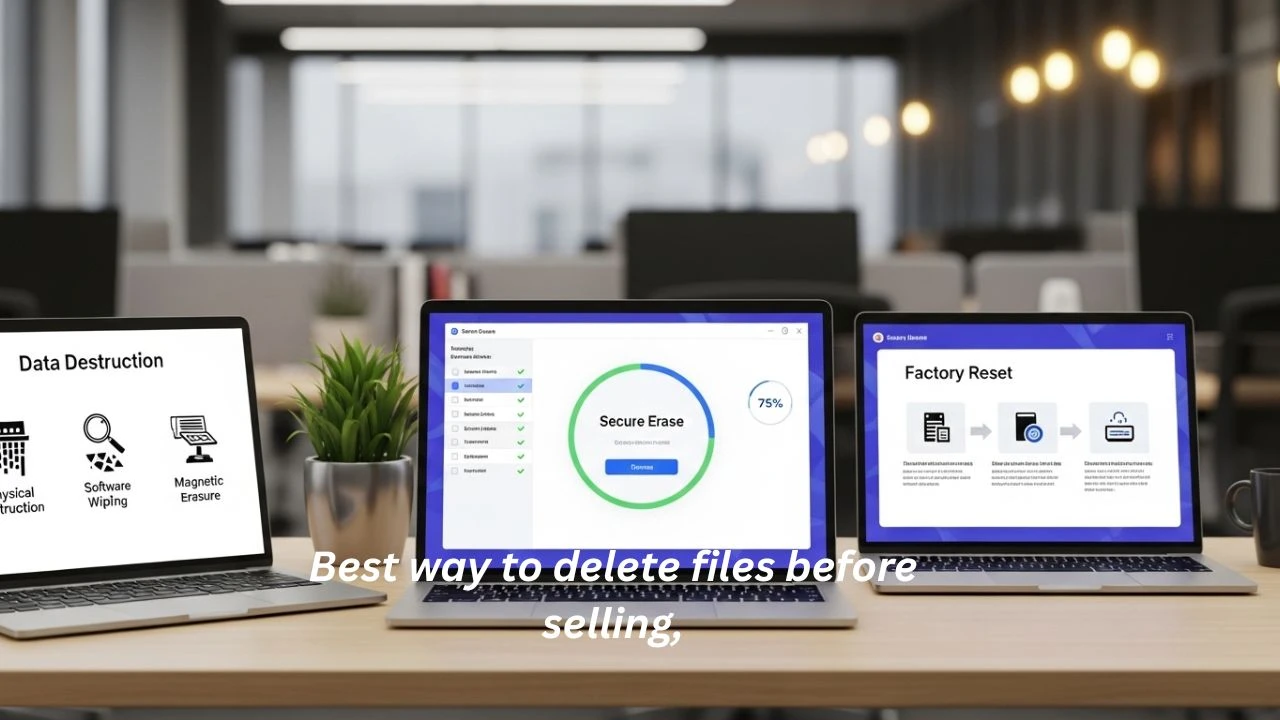
Selling your Laptop, desktop, or old PC might look like a simple task. The best way to delete files before selling. Most users assume that removing files, emptying the recycle bin, or performing a factory reset is enough to erase everything permanently.
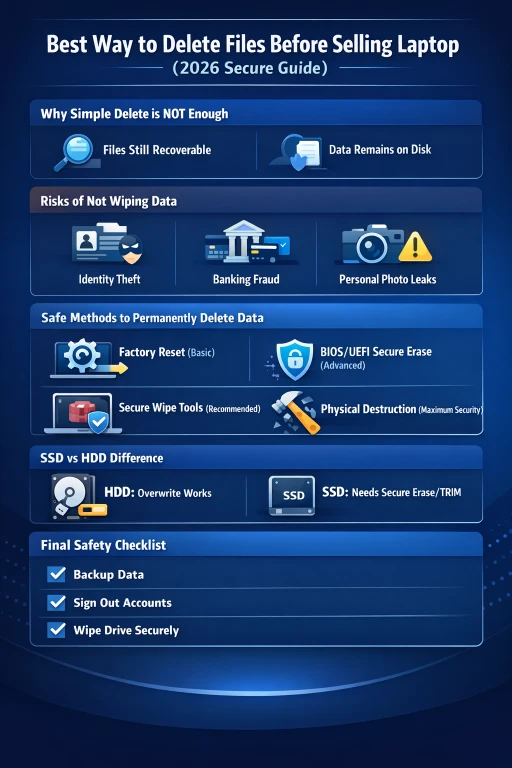
When you delete a file, the system only removes the reference to it—not the actual data stored on the drive. This means the information still exists on the storage medium until it gets overwritten.
- Banking credentials
- Saved passwords
- Private photos and videos
- Emails and chat history
- Business documents
- Personal identity data
This creates a serious risk of identity theft, financial fraud, and privacy leakage when selling your device.
Explanation
That’s why understanding the best way to delete files before selling is no longer optional—it is essential.
In this complete guide, you will learn:
- Difference between delete, format, and secure wipe
- HDD vs SSD secure deletion strategies
- Step-by-step permanent data removal methods
- Professional-grade wiping tools
- Advanced security techniques used by IT experts
By the end of this guide, you will know how to ensure your data becomes completely unrecoverable before handing your device to a new owner.
Why Proper File Deletion Is Critical Before Selling
Your computer is not just a machine—it is a digital identity vault.
What Your Device Stores:
- Saved browser passwords
- Online banking credentials
- Social media sessions
- Private photos and videos
- Work documents and contracts
- Email access tokens
- Cloud sync data
Hidden Danger of Normal Deletion
When you delete files normally:
- Data is NOT erased
- Only file pointers are removed
- Storage space becomes “available.”
Recovery tools can rebuild and restore this data easily.
Delete vs Format vs Secure Wipe (Critical Knowledge)
Understanding this difference is the foundation of data security.
| Method | What It Does | Recoverable? | Security Level |
| Delete | Removes file reference only | Yes | Low |
| Format | Clears file structure | Yes | Low |
| Factory Reset | Reinstalls OS | Sometimes | Medium |
| Secure Wipe | Overwrites data completely | No | High |
NLP Insight
- “Delete” = logical removal
- “Format” = structural reset
- “Secure wipe” = physical-level overwrite
Only secure wiping guarantees permanent deletion.
Best Way to Delete Files Before Selling
Backup Important Data
Before wiping anything, create a secure backup.
Backup Options:
- External SSD/HDD
- USB flash drive
- Cloud storage (Google Drive, OneDrive, iCloud)
Once wiped, recovery is impossible.
Sign Out of All Accounts
This prevents identity leaks and account misuse.
Remove access from:
- Google / Gmail
- Microsoft account
- Apple ID
- Browsers (Chrome, Firefox, Edge)
- Cloud services
Remove Licensed Software
Deactivate software before selling:
- Microsoft Office
- Adobe Creative Cloud
- Paid antivirus programs
This avoids license misuse.
Choose the Right Deletion Method
Now we enter the most important section.
Factory Reset
Windows Reset Steps
- Settings
- System → Recovery
- Reset this PC
- Remove Everything
- Enable “Clean Drive”
Limitation:
- Not fully secure
- Data still recoverable
Suitable only for basic privacy protection.
Secure Overwrite
This method overwrites data multiple times.
Tools:
- Eraser (open-source)
- CCleaner Drive Wiper
- BitRaser (enterprise-grade)
Why It Works
- Overwrites old data
- Removes hidden traces
- Breaks recovery patterns
Command Line Secure Delete
Command
cipher /w:C:
Function
- Overwrites free space
- Removes residual data
Limitation
- Does not erase active files
- Requires technical skill
DBAN Full Disk Wipe
Features
- Bootable USB tool
- Multiple overwrite passes
- Entire disk wipe
Important
- Best for HDD only
- Not recommended for SSD
SSD vs HDD – CRITICAL DIFFERENCE
HDD (Hard Disk Drive)
- Magnetic storage
- Easily overwritten
- Compatible with DBAN
Best methods:
- DBAN
- Secure overwrite tools
SSD (Solid State Drive)
- Uses TRIM technology
- Overwriting is unreliable
- Data behaves differently
Best methods:
- BIOS/UEFI Secure Erase
- Manufacturer tools (Samsung Magician, etc.)
BIOS / UEFI Secure Erase (Advanced SSD Method)
Benefits:
- Hardware-level wipe
- Removes all blocks
- Highly secure
One of the safest SSD methods in 2026.
Physical Destruction (Maximum Security)
Used when data sensitivity is extreme.
Methods
- Drilling the drive
- Crushing storage chips
- Shredding SSD/HDD
Ensures 100% irreversible destruction.
Risks of Improper Data Deletion
If you skip proper wiping:
- Identity theft
- Bank account hacking
- Personal media leaks
- Corporate data exposure
- Privacy violation
Even free tools can recover deleted data.
Comparison Table
| Method | Security | Ease | Best For |
| Factory Reset | Medium | Easy | Beginners |
| Secure Software | High | Medium | Most users |
| Command Line | High | Hard | Advanced users |
| DBAN | Very High | Hard | HDD drives |
| Physical Destruction | Maximum | Hard | Sensitive data |
Expert Pro Tips
- Wipe all partitions
- Avoid quick format
- Do 2–3 overwrite passes
- Disconnect the internet during the reset
- Remove external storage
- Sign out of cloud accounts
Common Mistakes Users Make
- Only deleting files
- Not signing out of accounts
- Using quick format
- Ignoring the SSD vs HDD difference
- Forgetting recovery partitions
These mistakes can expose your entire identity.
Pros & Cons of Secure Wiping
Pros:
- Protects personal privacy
- Prevents identity theft
- Secures financial data
- Builds buyer trust
Cons:
- Time-consuming (1–5 hours)
- Requires technical understanding
- Risk of accidental wipe errors
FAQ
A: No. It is not fully secure for sensitive data.
A: Yes. Recovery tools can restore them easily.
A: Secure erase or physical destruction.
A: Around 1–5 hours, depending on drive size.
A: Yes. SSD needs secure erase tools due to TRIM.
Conclusion
In conclusion, properly deleting files before selling your laptop or PC is one of the most important steps to protect your personal privacy and digital identity. Simply removing files or performing a basic factory reset is not enough, because modern data recovery tools can still retrieve sensitive information from your storage drive. To ensure complete safety, you should always use secure wiping methods such as overwrite tools, SSD secure erase utilities, or advanced BIOS-level deletion Techniques. These methods permanently destroy data and reduce the risk of identity theft, financial fraud, or personal data leaks when your device is handed over to a new owner.
Ultimately, the best approach is to combine multiple security steps for maximum protection. This includes backing up important files, signing out of all accounts, removing licensed software, and then applying a proper secure wipe based on whether your device uses an HDD or SSD. By following these best practices, you ensure that no recoverable traces of your data remain on the system. In today’s digital world, your personal data is extremely valuable, so taking a few extra minutes to securely erase it before selling your device is a smart and necessary decision for long-term privacy and security.